Distribution
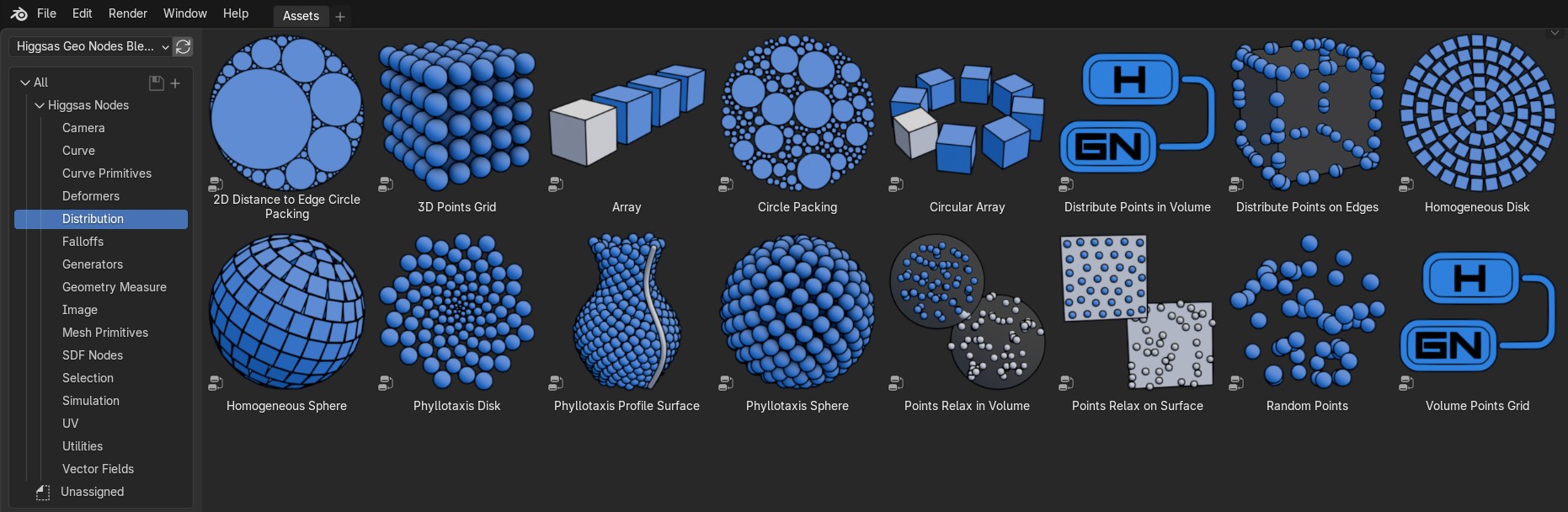
2D Distance to Edge Circle Packing
Packs circles by finding largest circle that fits in between the edges (lose edges/boundary edges)


- Iterations
Iterations of the circle packing/number of circles
- Grid Resolution
Grid resolution that distances to edge will be stored for circle packing. Higher resolution will give smaller gaps between circles, worse performance
- Min Radius
Min radius of the circles
- Max Radius
Max radius of the circles
3D Points Grid
Distributes points in 3d grid
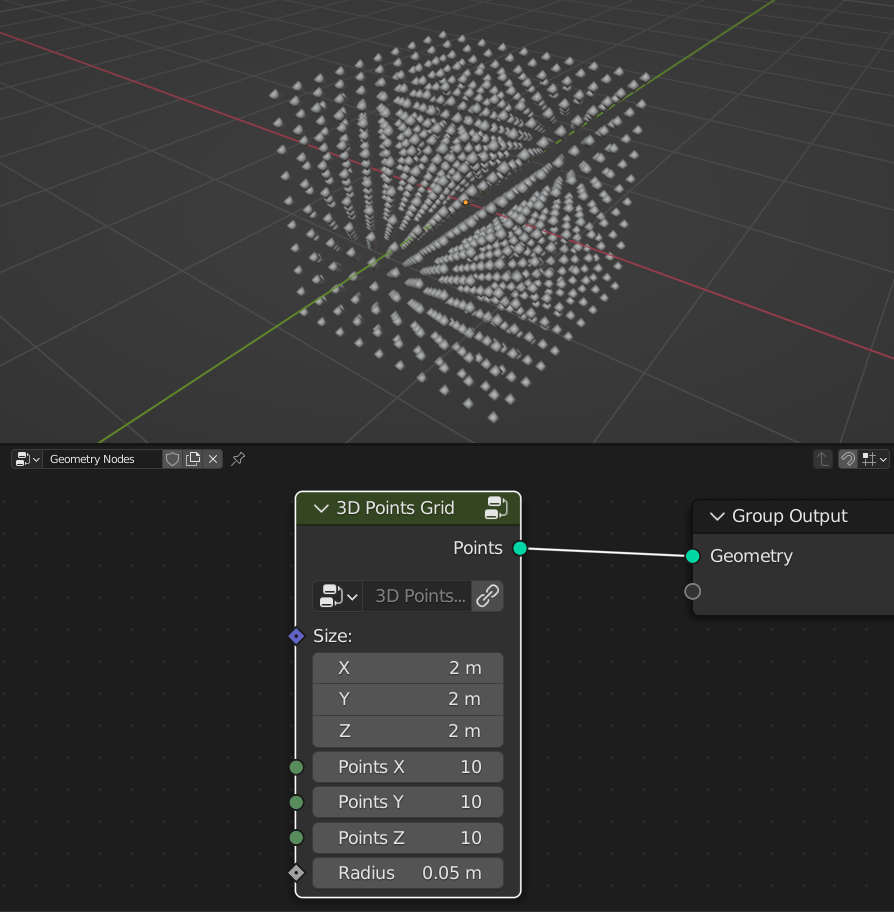
- Size
Size of the grid
- Points X
Amount of points in X axis
- Points Y
Amount of points in Y axis
- Points Z
Amount of points in Z axis
- Radius
Radius of the points
Array
Creates array of the geometry
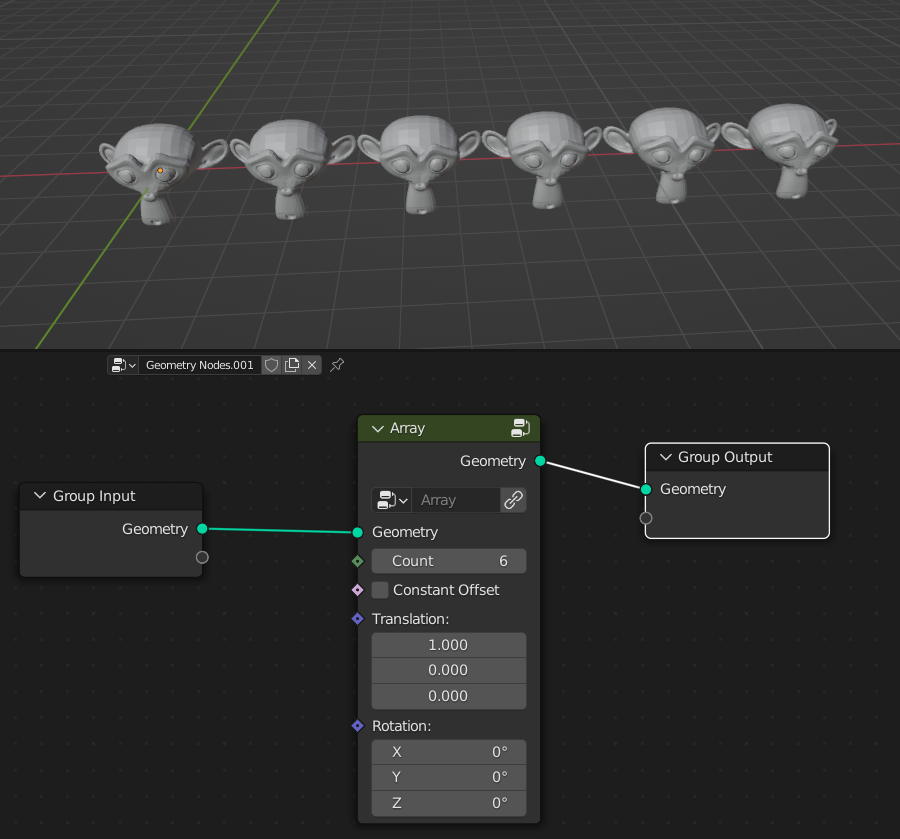
- Count
Amount that geometry will duplicated
Constant Offset
Off: Offsets geometry from its bonding box
On: Offsets geometry from its center
- Translation
Offsets array
- Rotation
Rotates geometry
Circle Packing
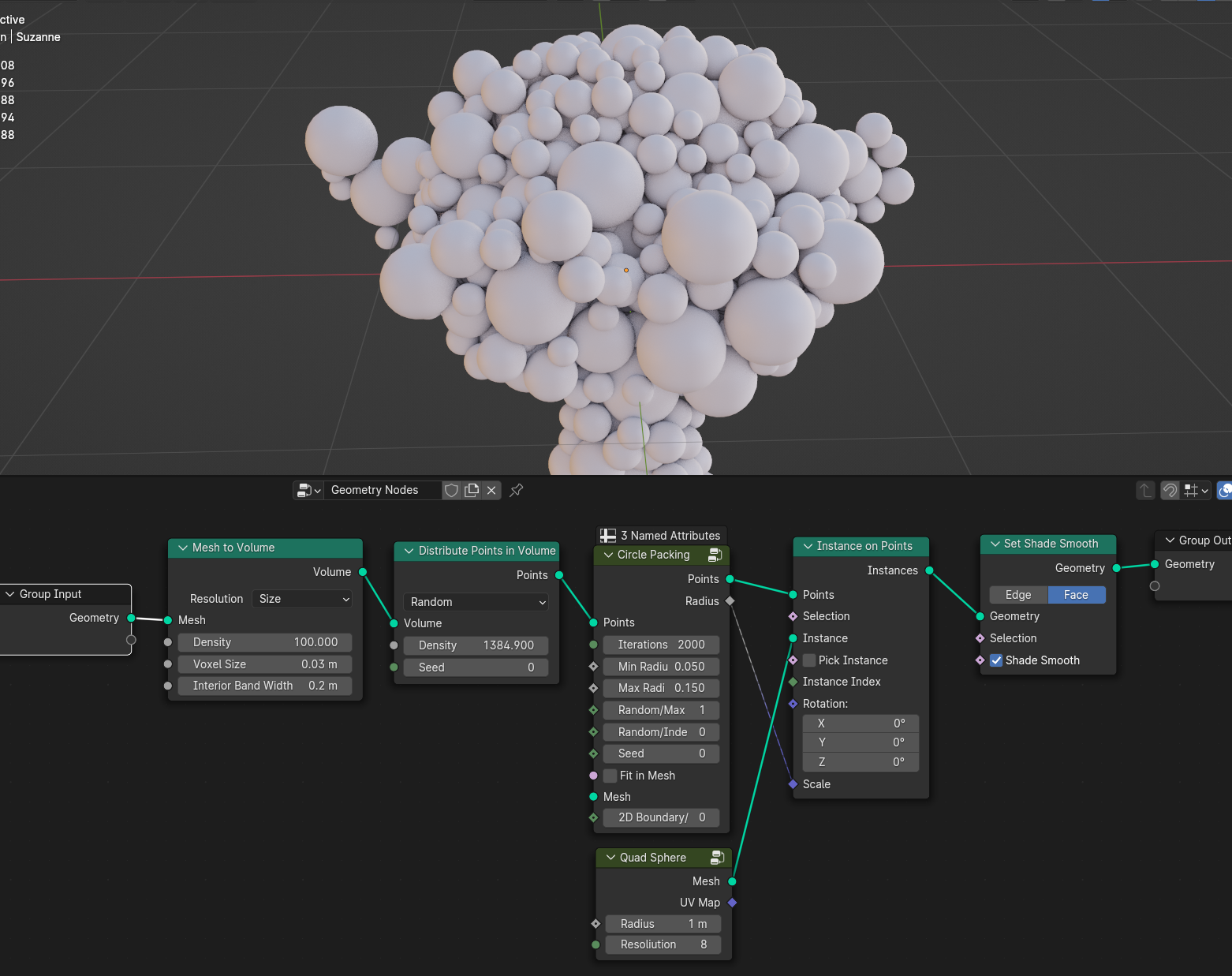
Creates circle packing by removing points that inside the radius each interation. The more points you have the better circle packing will be, aim it around 50k/100k points
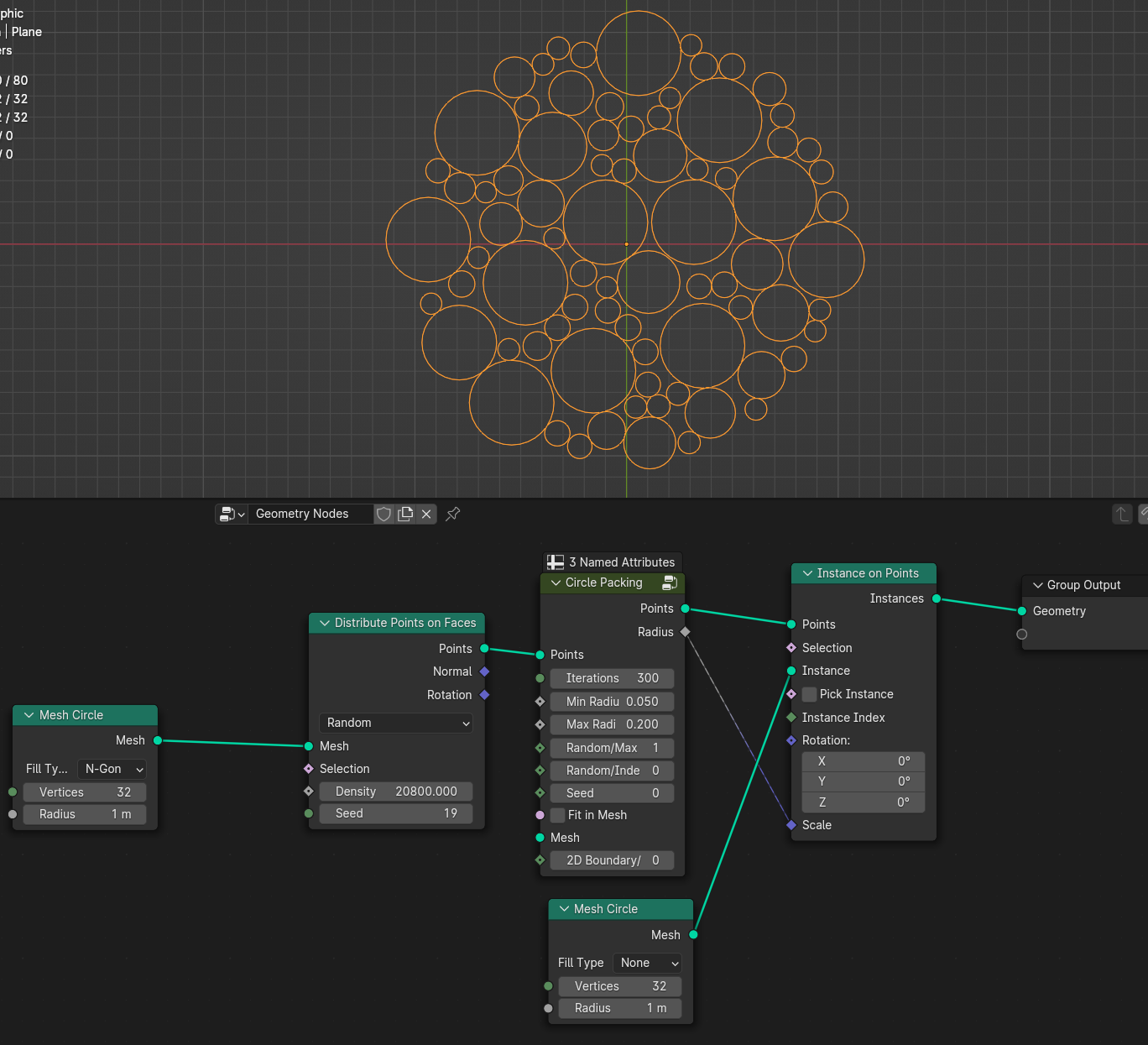
- Iterations
Iterations of the circle packing. If you have a lot of points or min/max radius set to low values increase Iterations
- Min Radius
Min radius of the circle
- Max Radius
Max radius of the circle
Random/Max Radius
Random Each interation sets circle radius to random value, and will clamp it with existing circles that it won’t overlap. It will give more randomized circles, but with bigger gaps
Max Radius Each interation sets circle radius to max radius to the closest existing circle. It will tighter gaps between circles but with more uniform circles
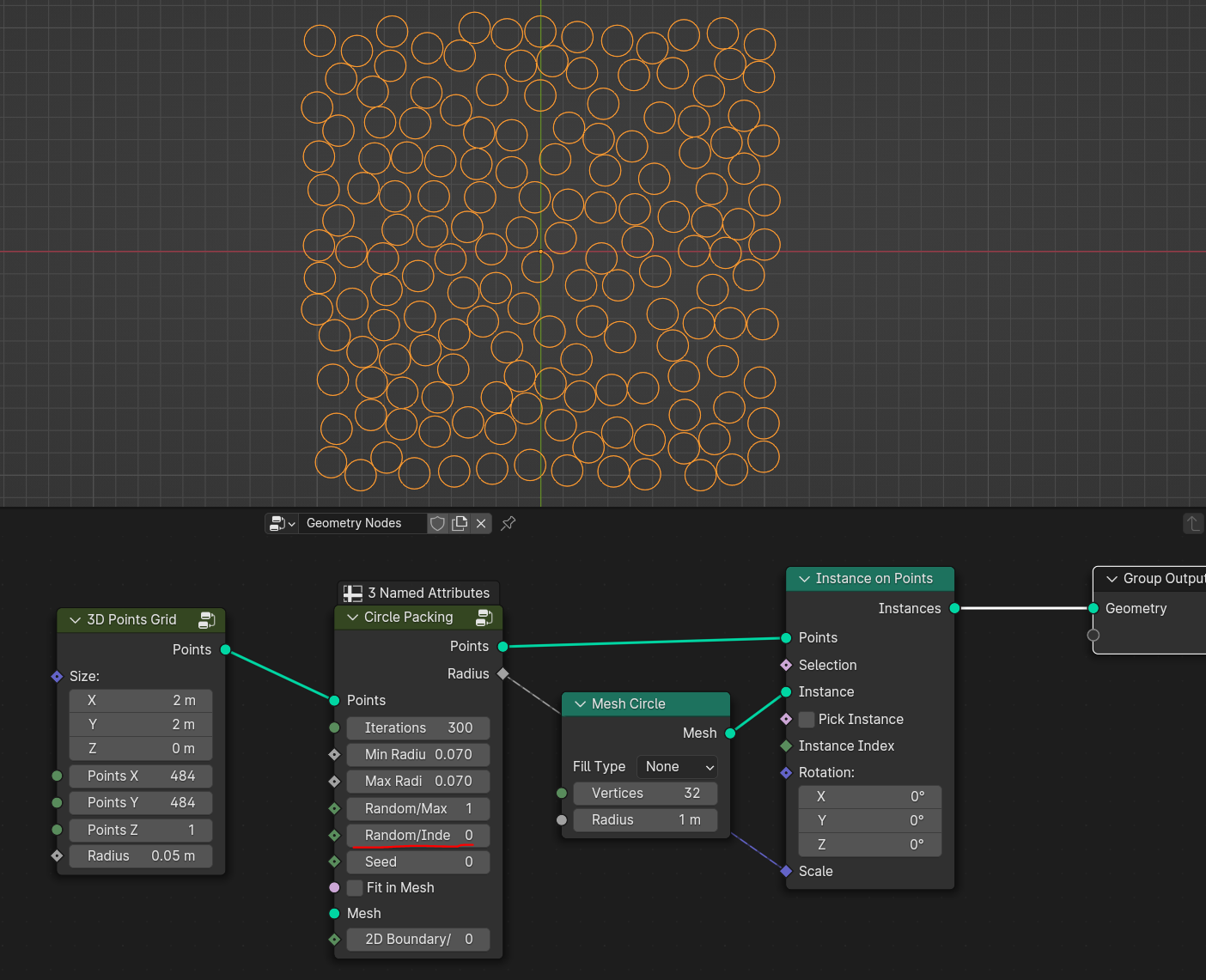
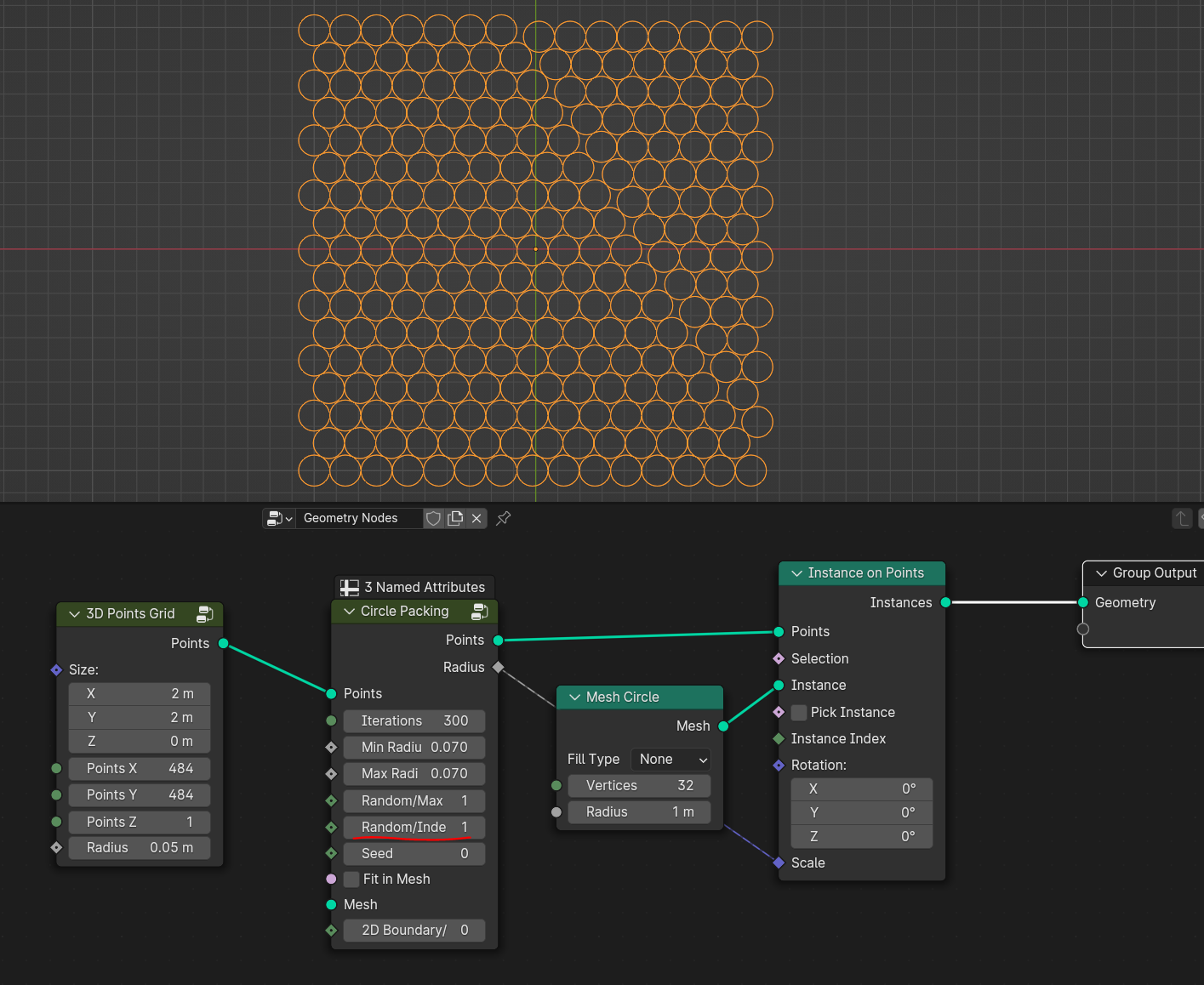
Random/Index Order
Random Selects each point randomly. Will result in more randomized circles with bigger gaps
Index Order Selects each point by its index. Will result in more tighter packing. Note that points indices depending on how points was created
- Seed
Seed of setting random radius between min and max to circles
- Fit in Mesh
Fits circles inside the mesh that won’t go past boundary
- Mesh
Mesh for boundary
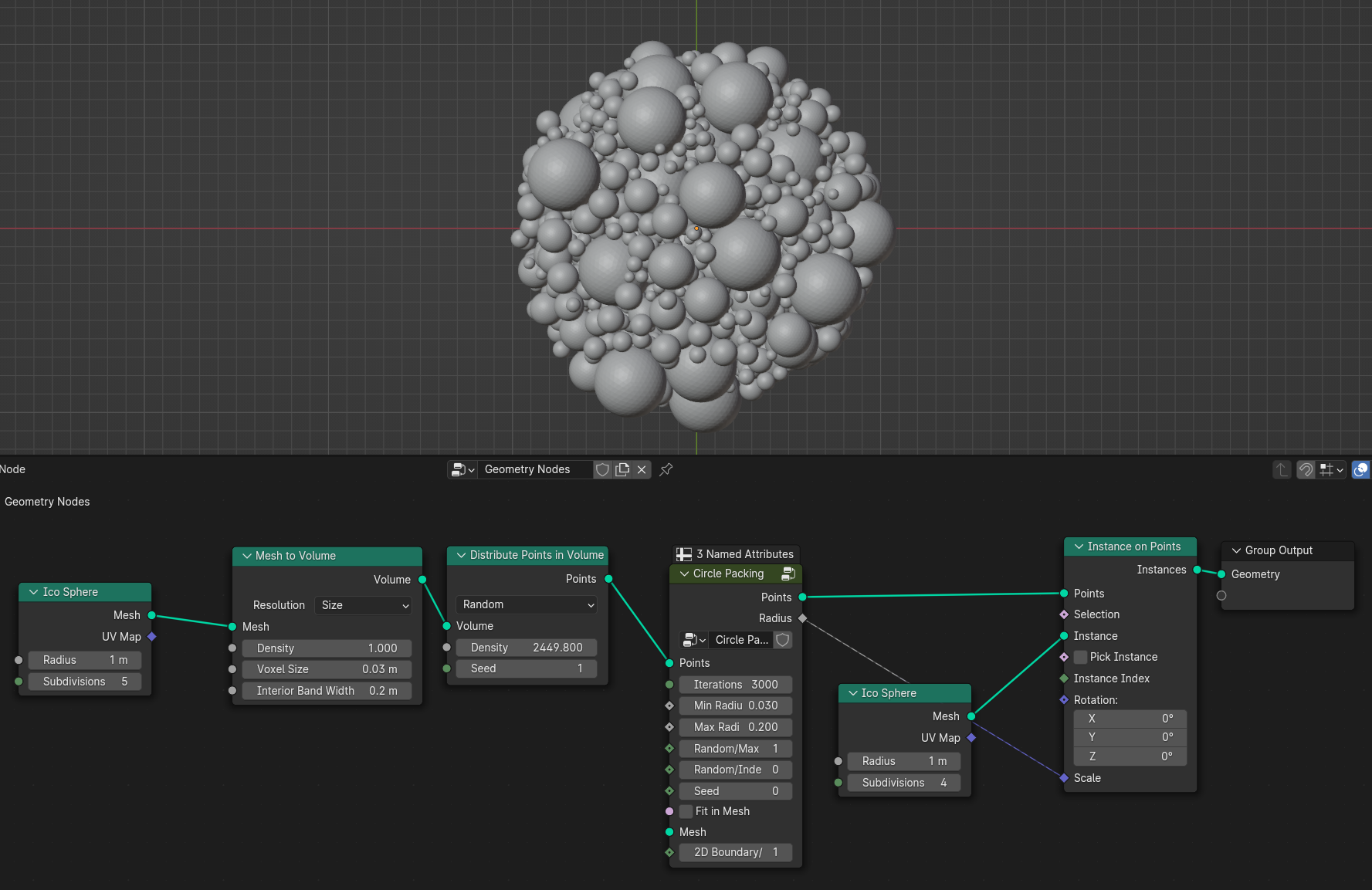
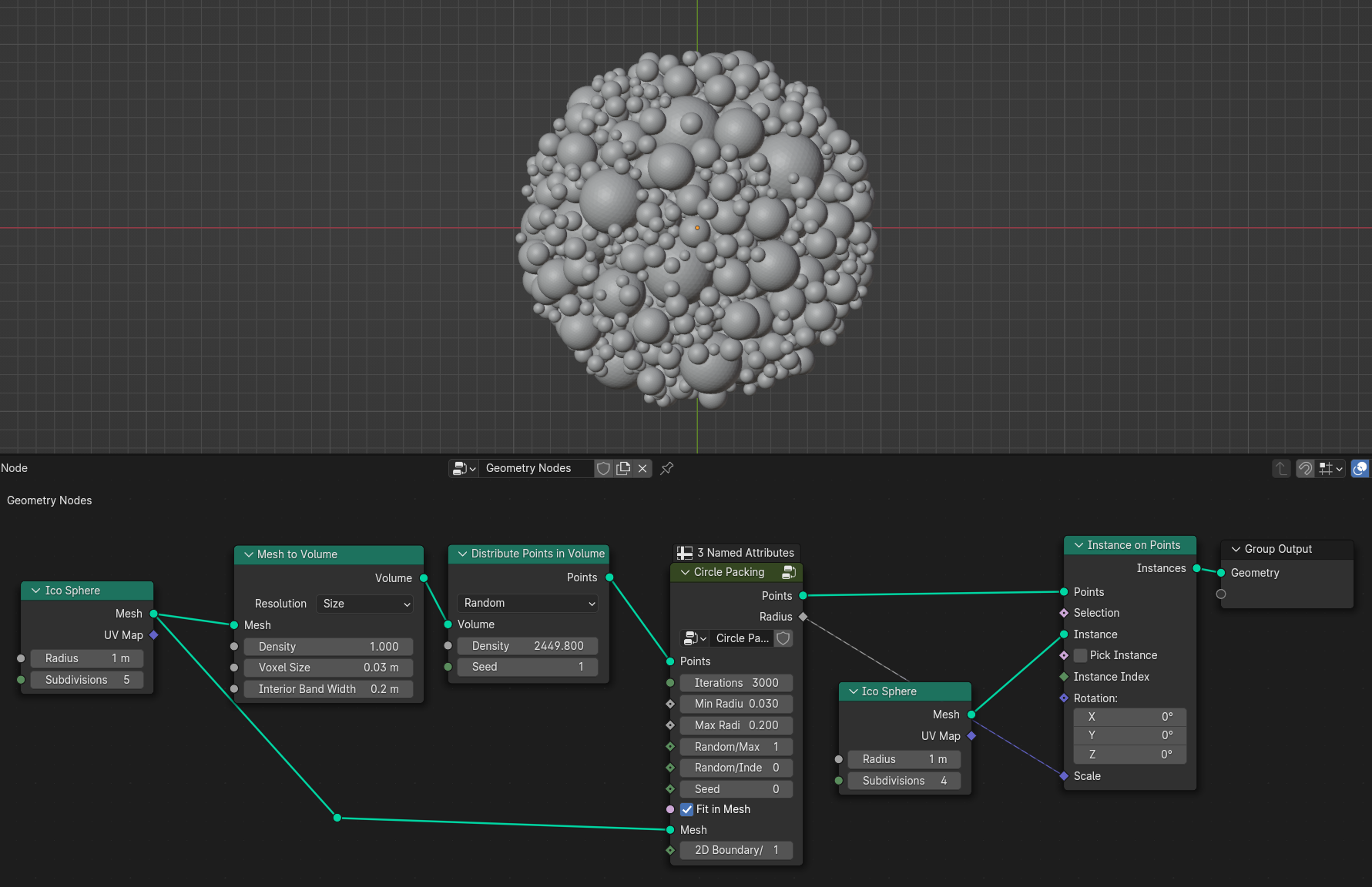
2D Boundary/3D Surface
2D Boundary Makes circles radius equal boundary edge
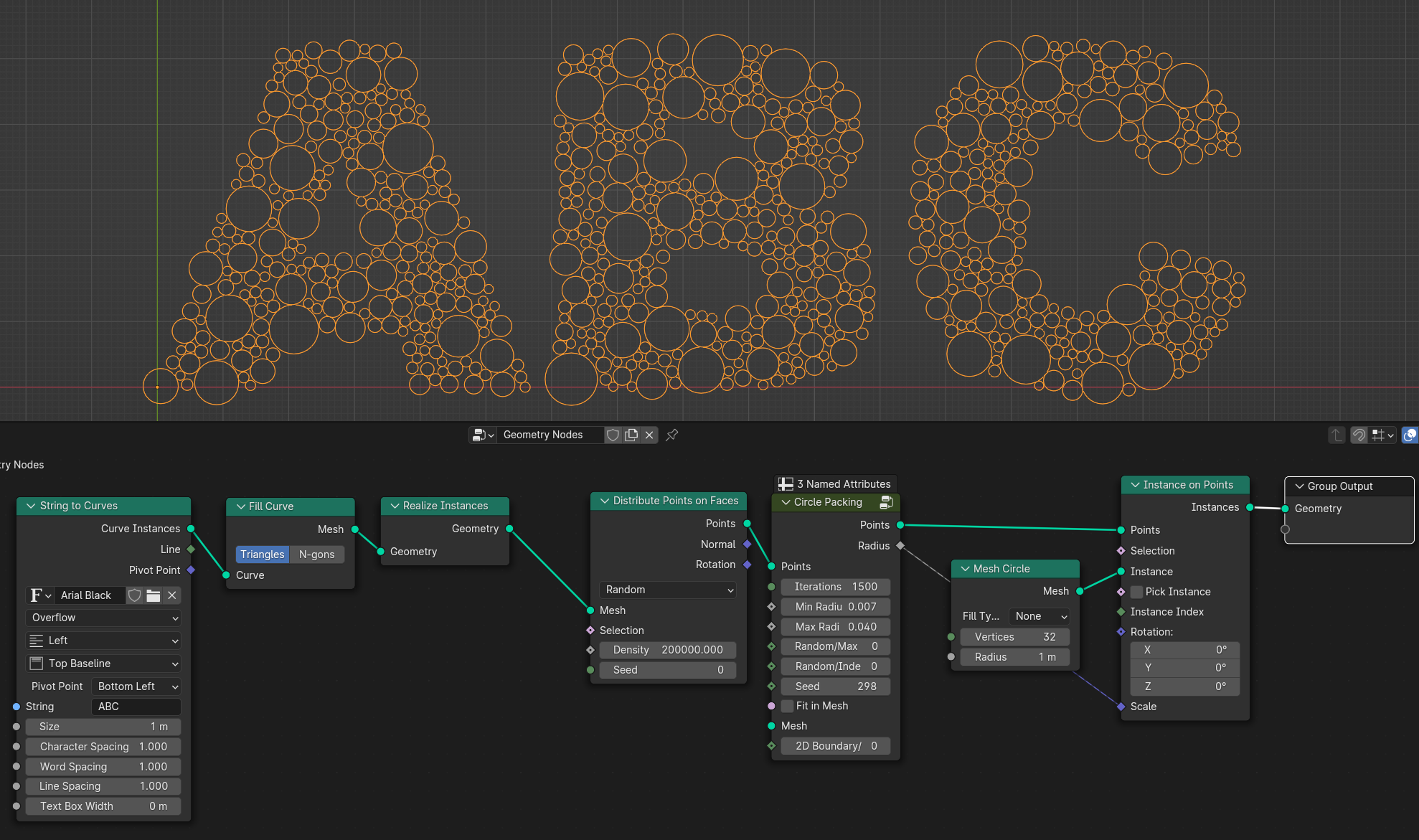
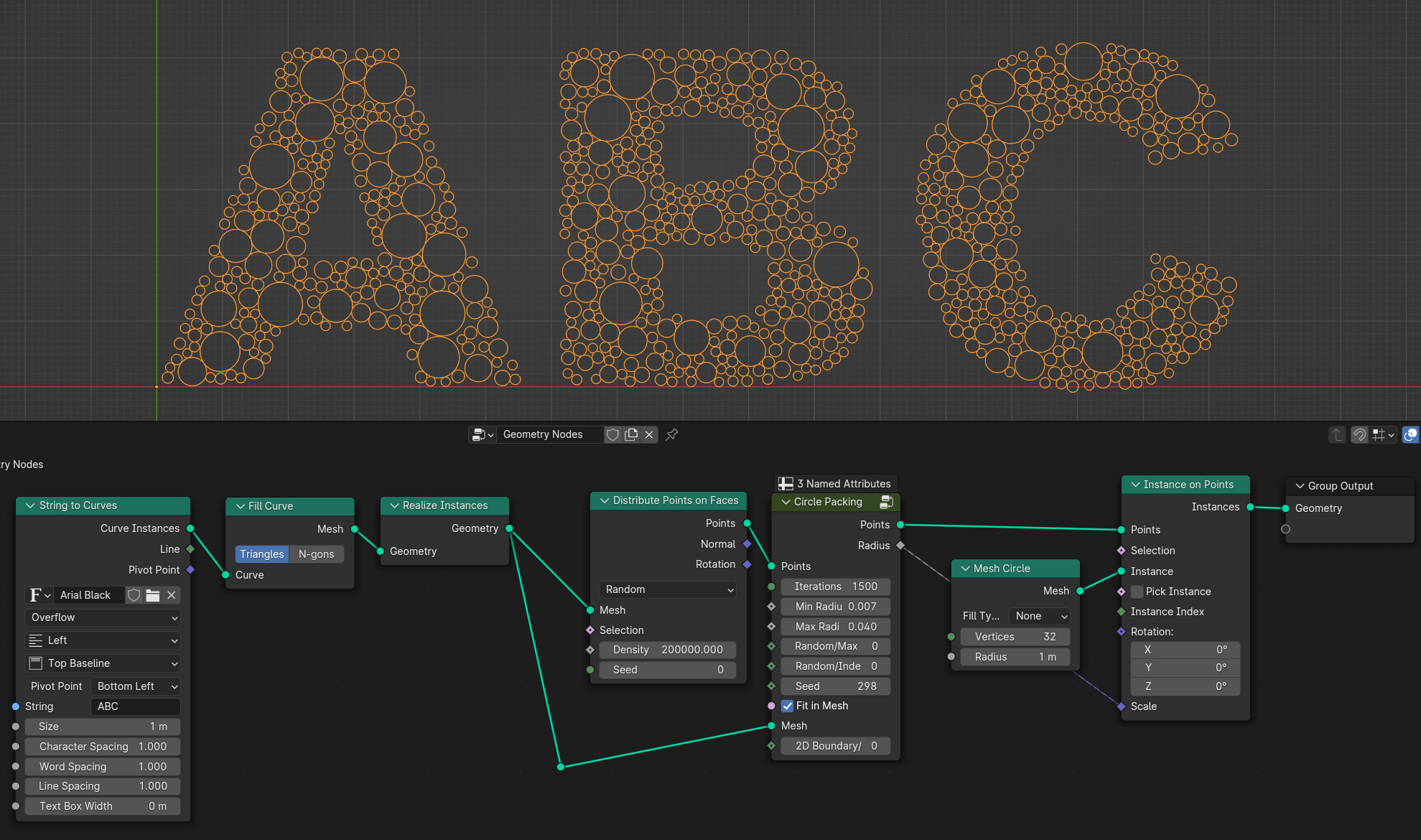
3D Surface Makes circles/sphere radius equal to surface boundary
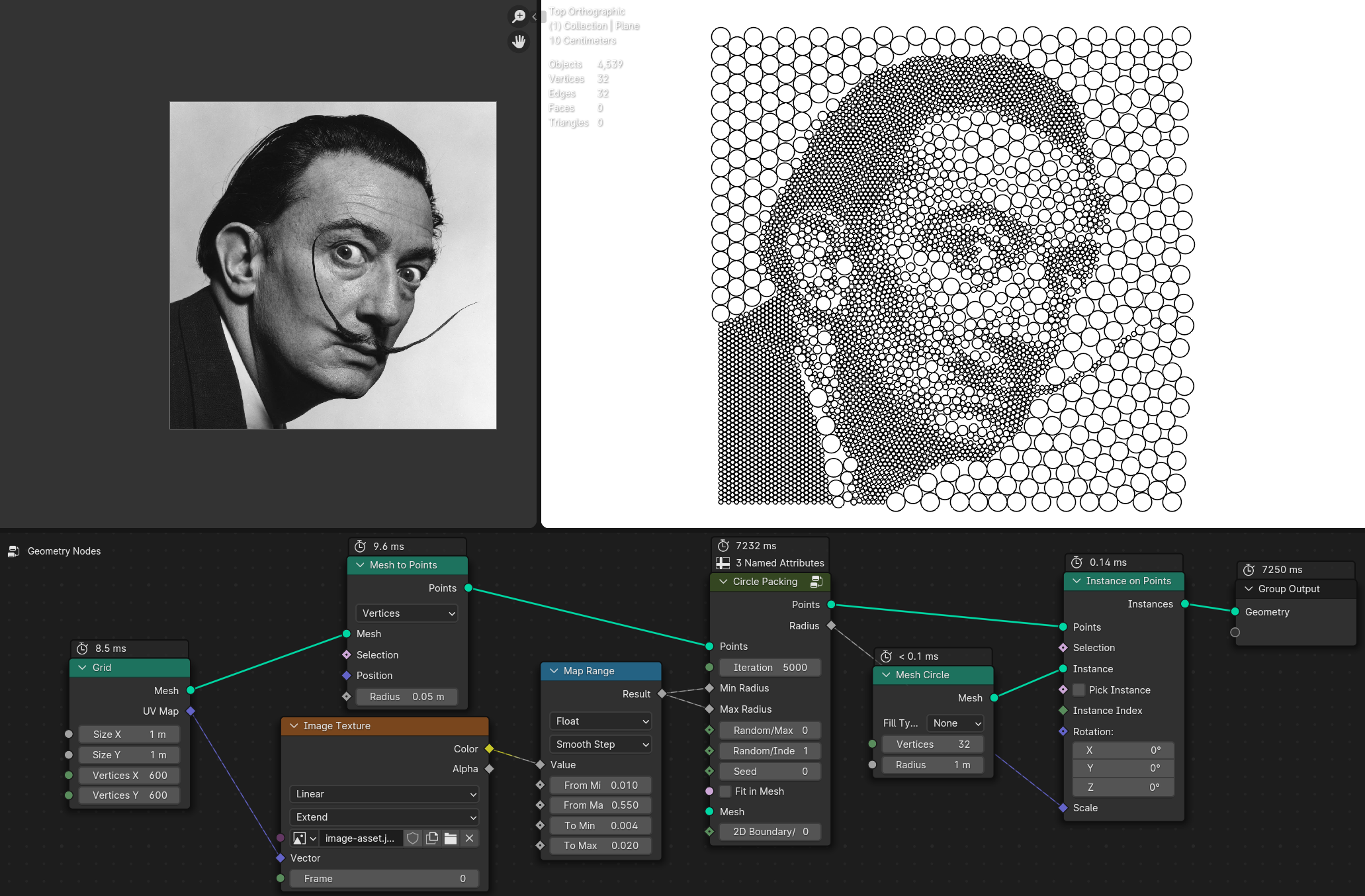
Packing using noise or the texture
Circular Array
Creates array of the geometry on a circle
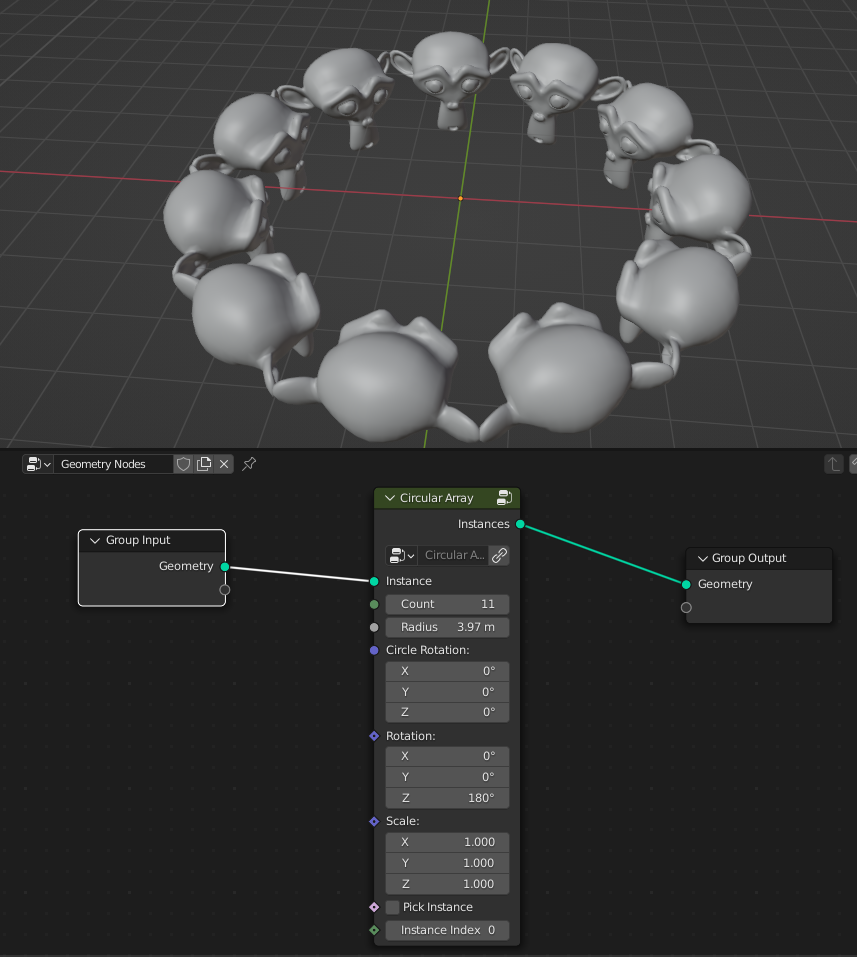
- Count
Amount that geometry will duplicated on a circle
- Radius
Radius of the circle
- Circle Rotation
Rotates circle
- Rotation
Rotates geometry orientation
- Scale
Scale of the geometry
- Pick Instance
Picks instaces from the instances list or collection
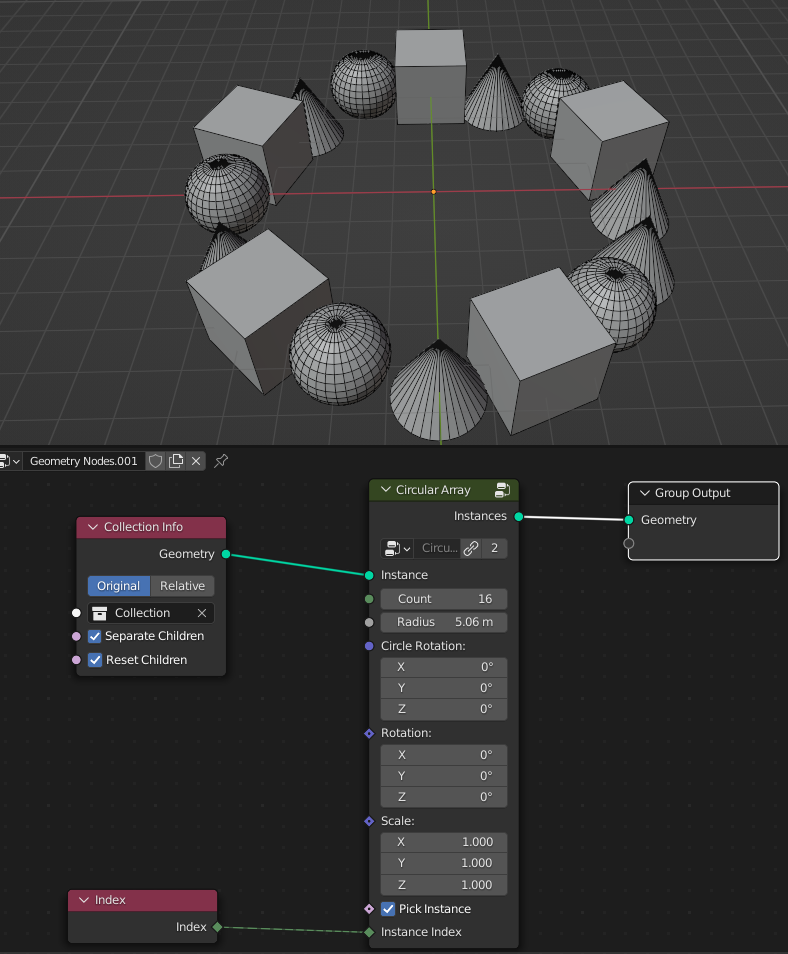
- Instance Index
Index of the instances list
Distribute Points in Volume
Distributes points inside mesh volume
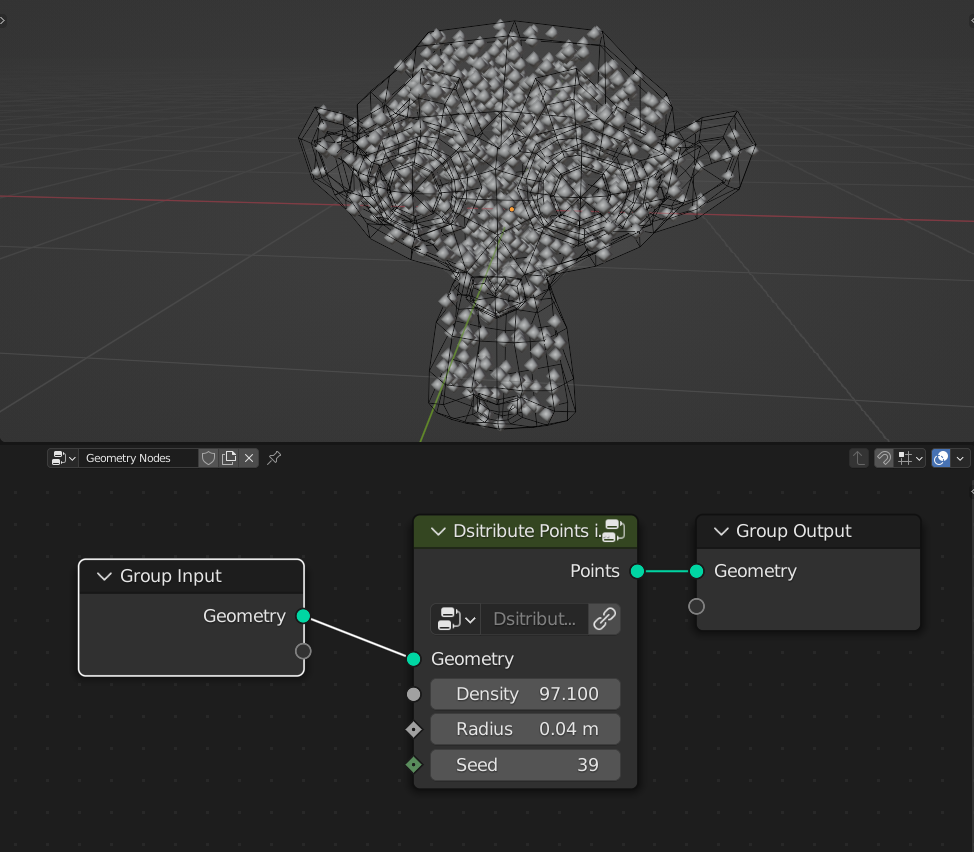
- Density
Amount of points inside volume
- Radius
Radius of the points
- Seed
Seed of the random distribution
Distribute Points on Edges
Distributes Points on mesh edges
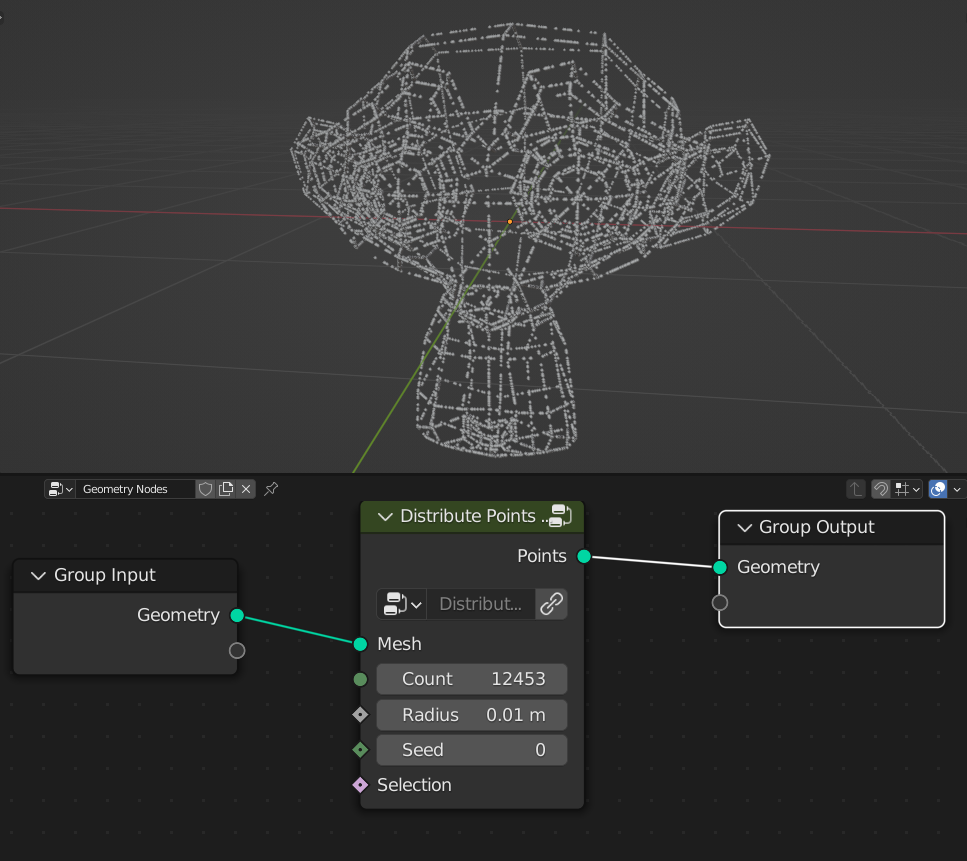
- Count
Amount of points
- Radius
Radius of the points
- Seed
Seed of the random distribution
- Selection
Selection of the edges that points will be distributed
Face Points Grid Distribution
Distributes points in grid on faces
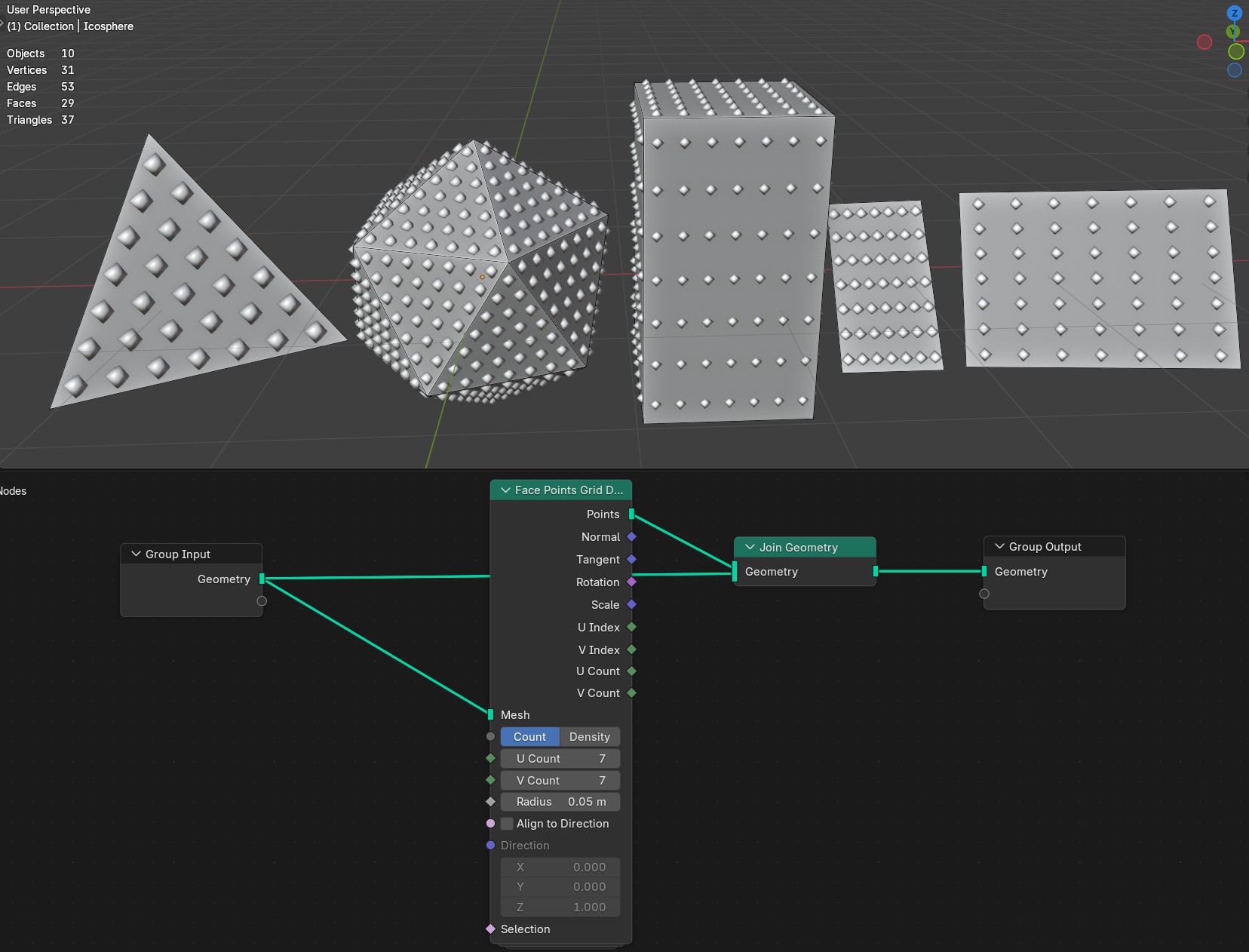
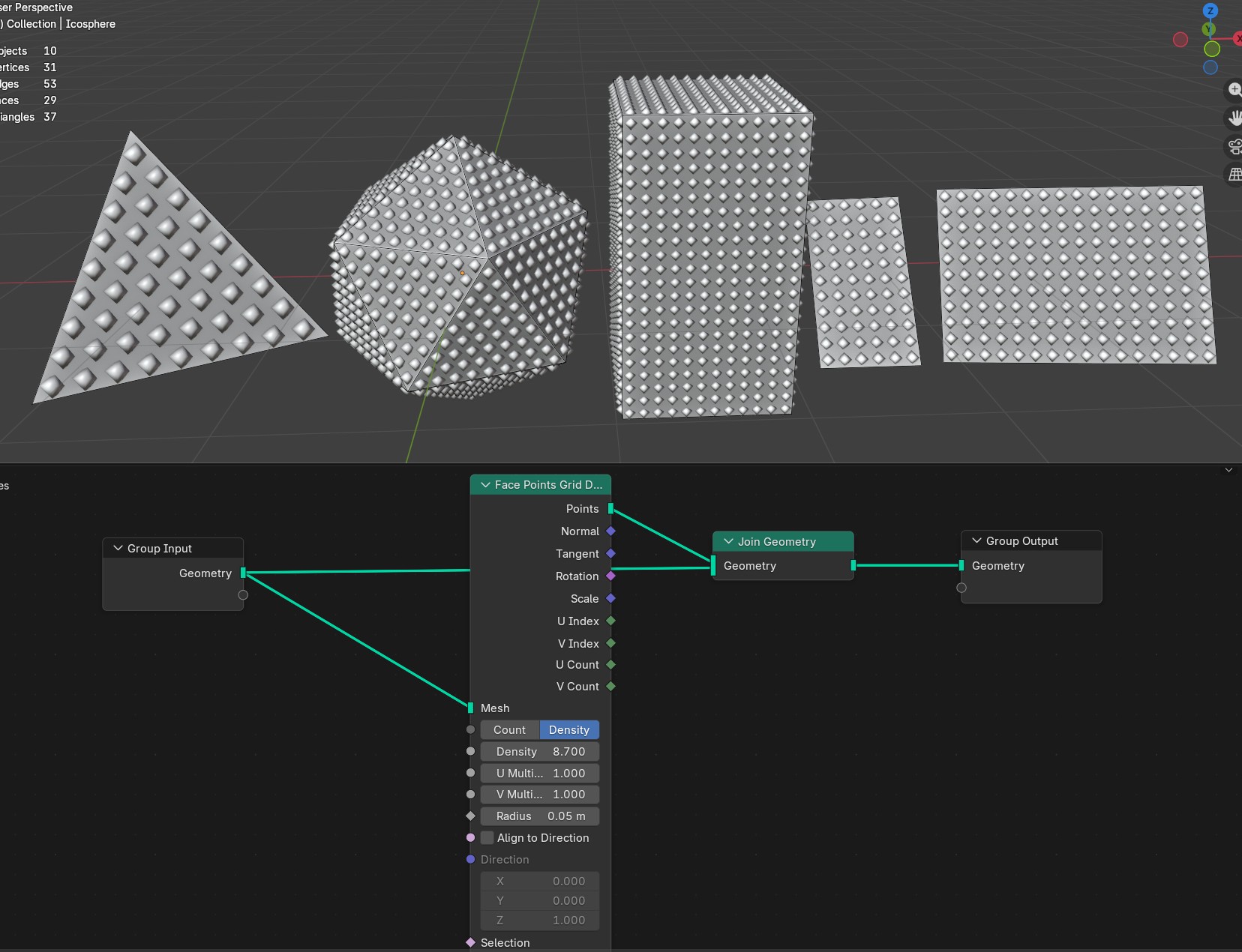
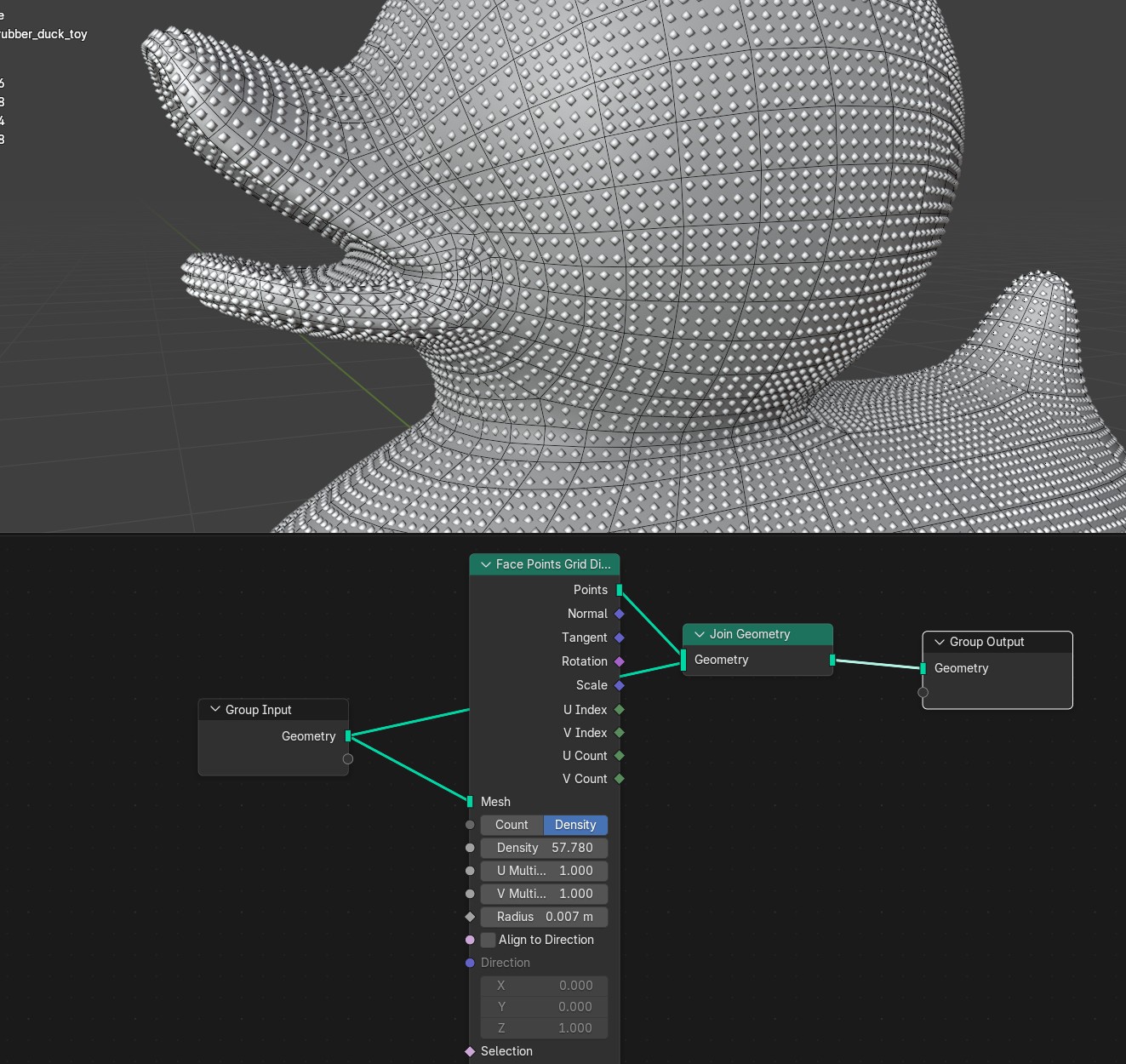
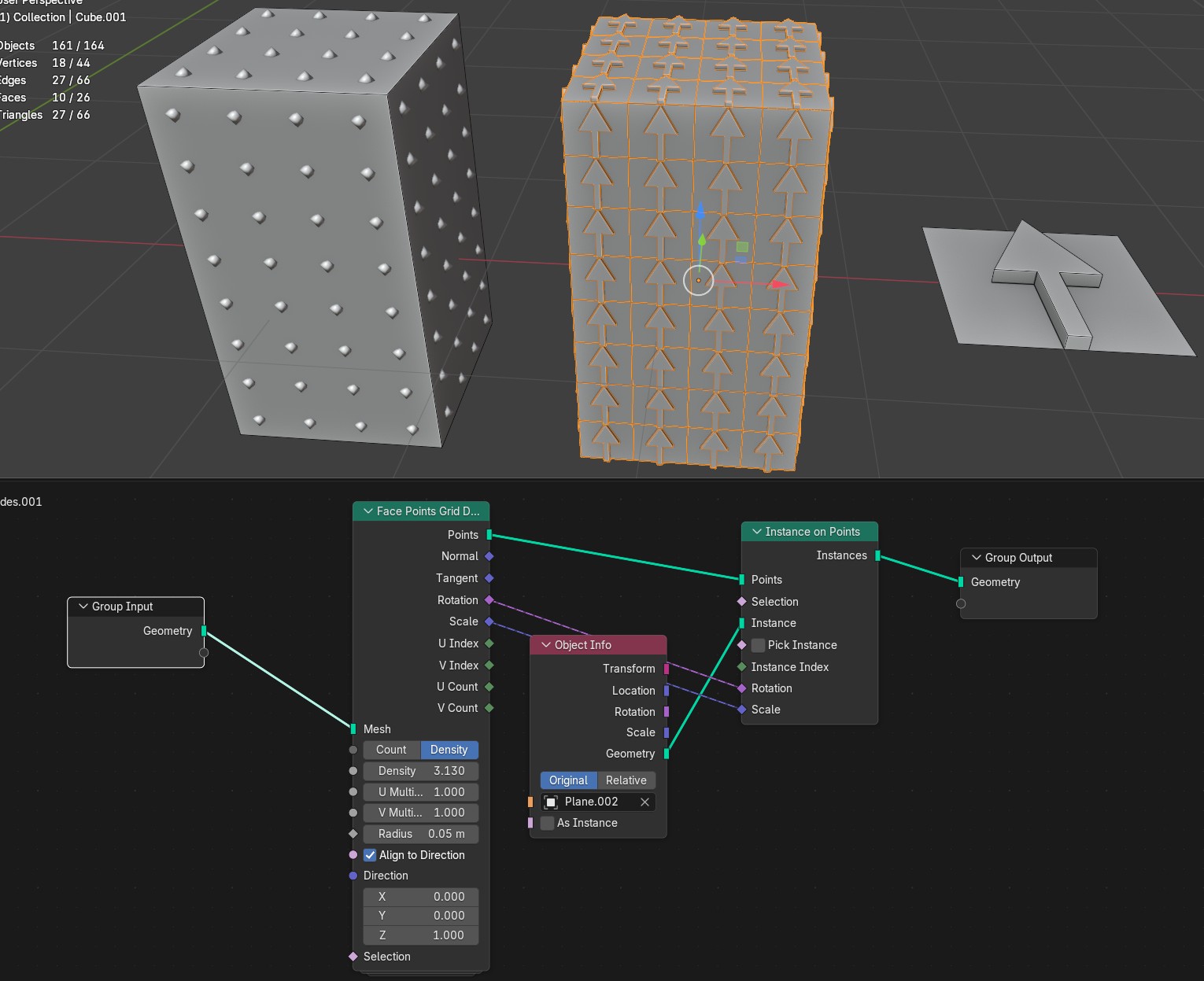
Count/Density
Count Points count for each U and V axis
Density Evenly subdivides face with points
- Radius
Radius of the points
- Align to Direction
Aligns U/V points count and other output attributes to the Direction input
- Direction
Direction input for aligning U/V points count and other output attributes
Homogeneous Disk
Evenly distributes points on to disk
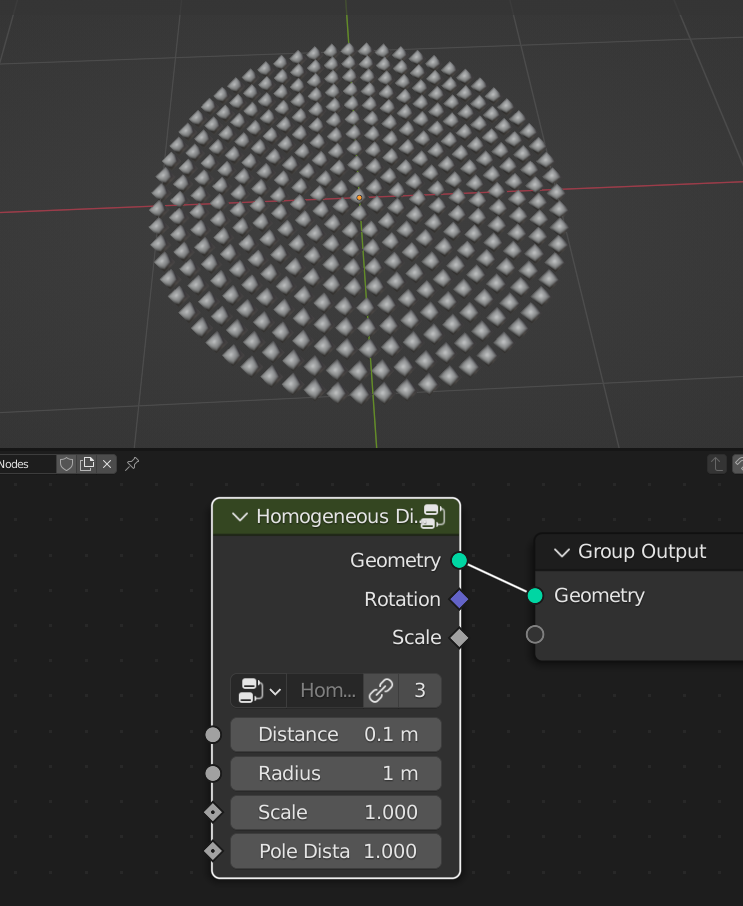
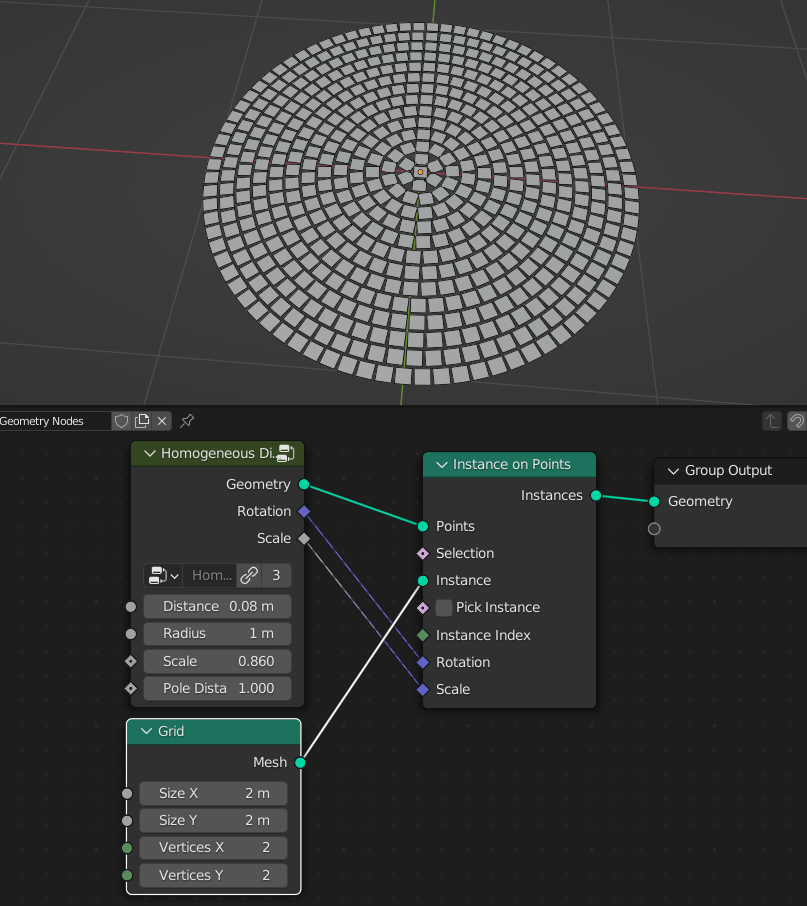
- Distance
Distance between distributed points
- Radius
Radius of the disk
- Scale
Scale of the points gap
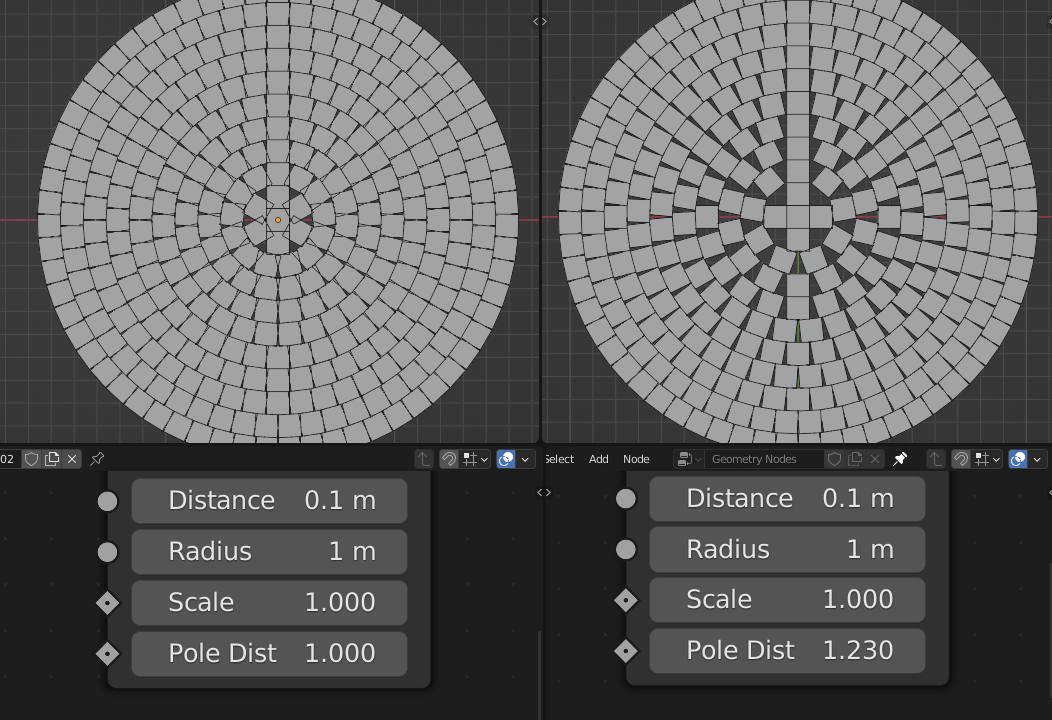
- Pole Distance
Increases gap on the disk pole
- Rotation
Rotation
- Scale
Points gap distance
Homogeneous Sphere
Evenly distributes points on to sphere
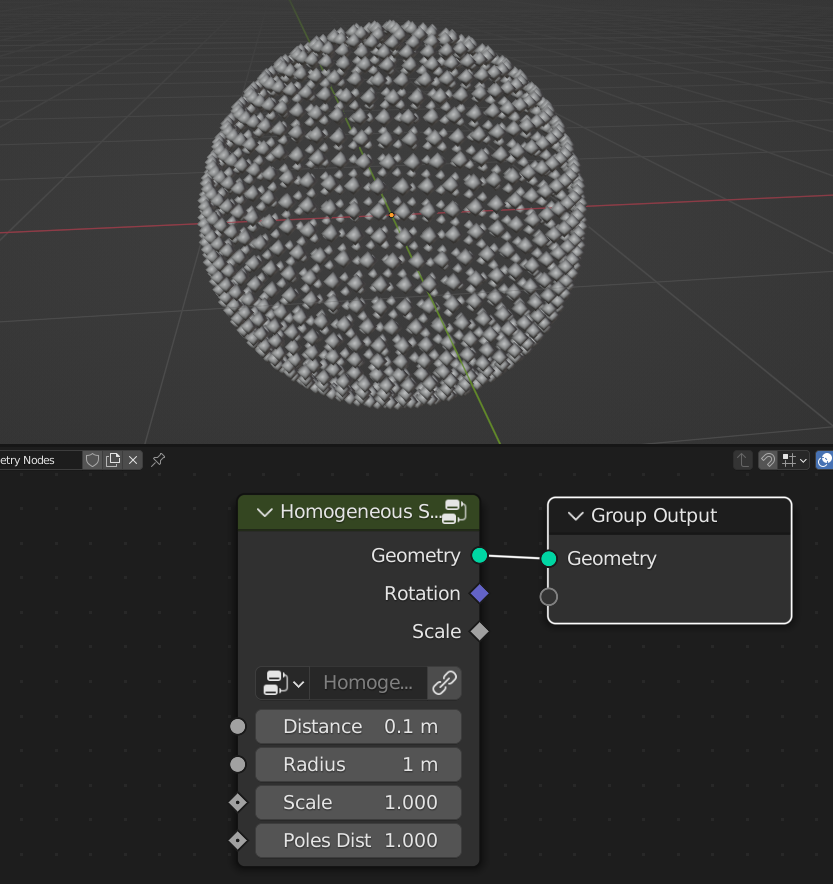
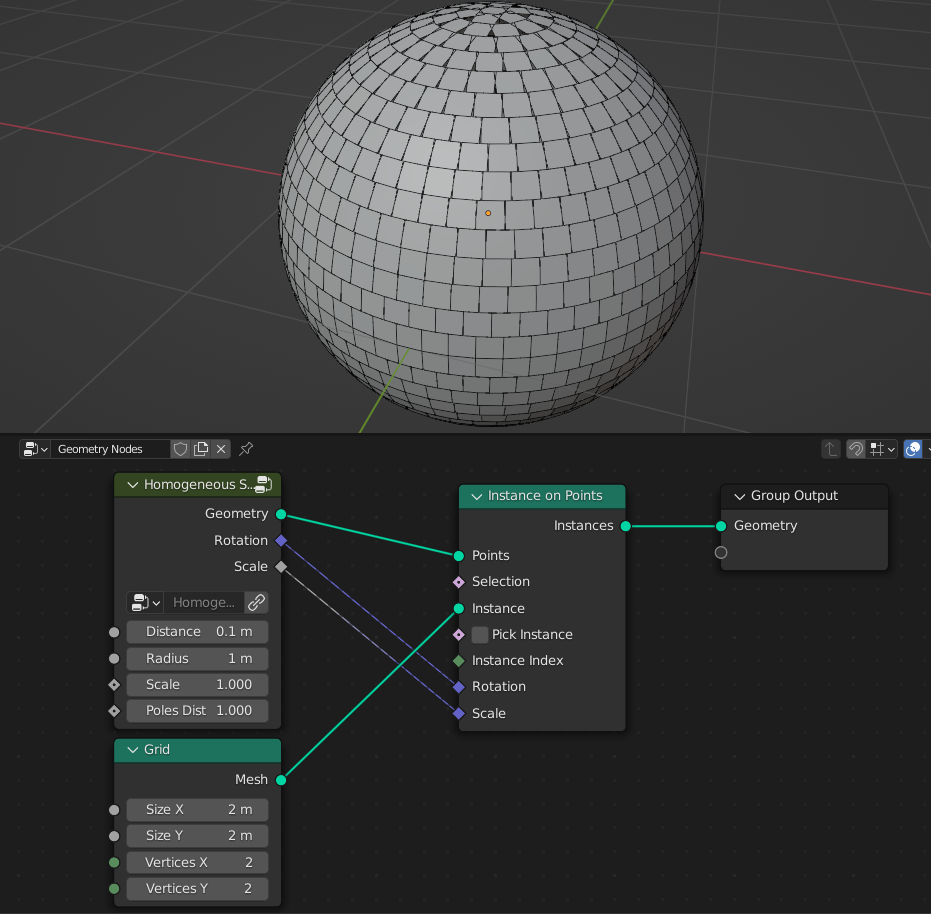
- Distance
Distance between distributed points
- Radius
Radius of the sphere
- Scale
Scale of the points gap
- Poles Distance
Increases gap on the sphere poles
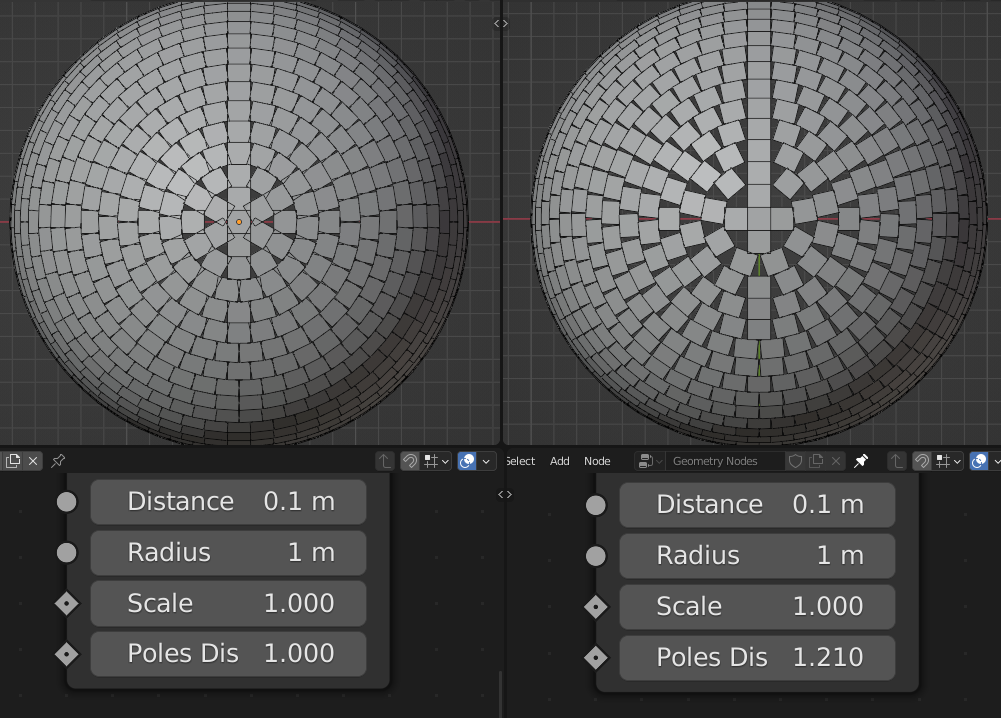
- Rotation
Rotation
- Scale
Points gap distance
Phyllotaxis Disk
Distributes points in phyllotaxy arrangement
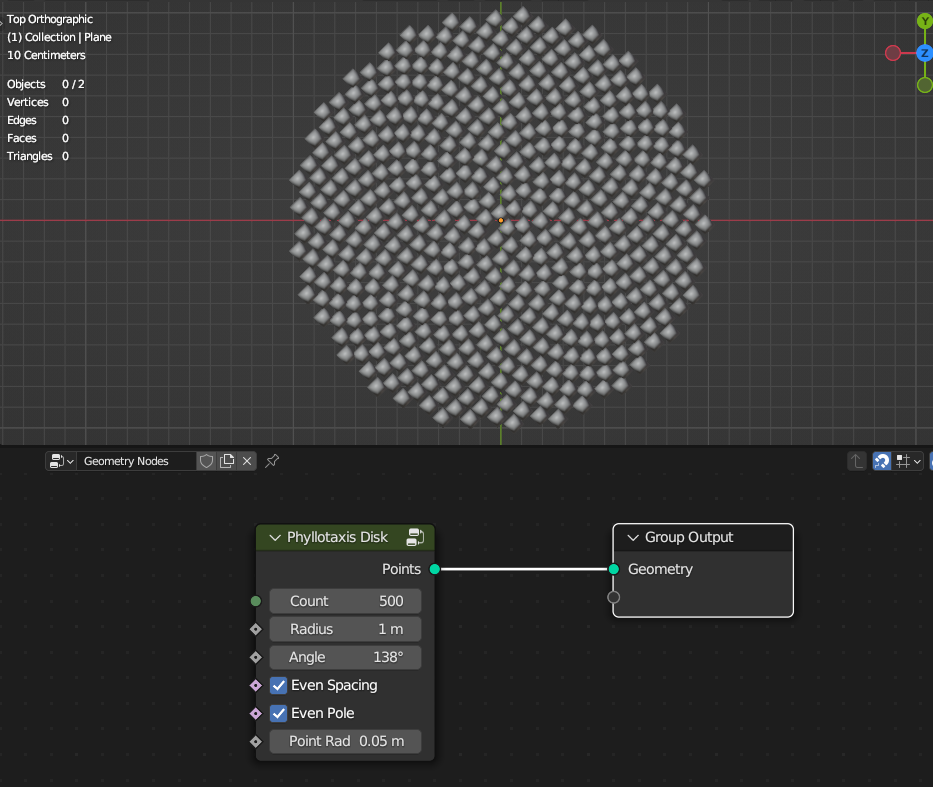
- Count
Count of points
- Radius
Radius of the disk
- Angle
Angle of spiral
- Even Spacing
Space points evenly
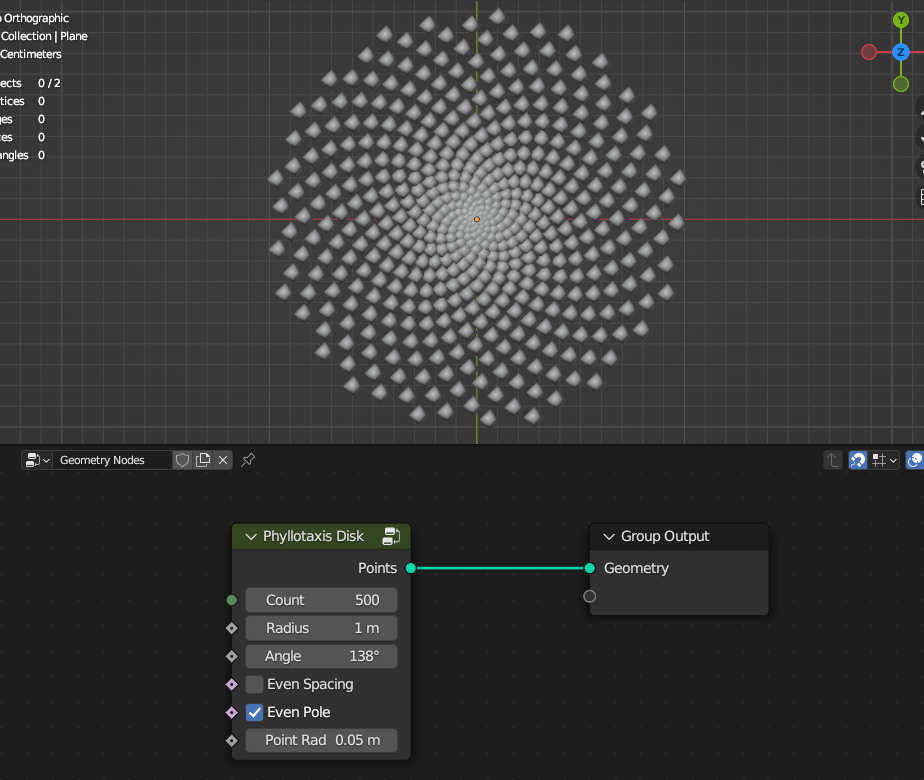
- Even Pole
Offsets first point for more even distribution
- Points Radius
Radius of the points
Phyllotaxis Profile Surface
Distributes points in phyllotaxys arrangement on the surface from the profile curve
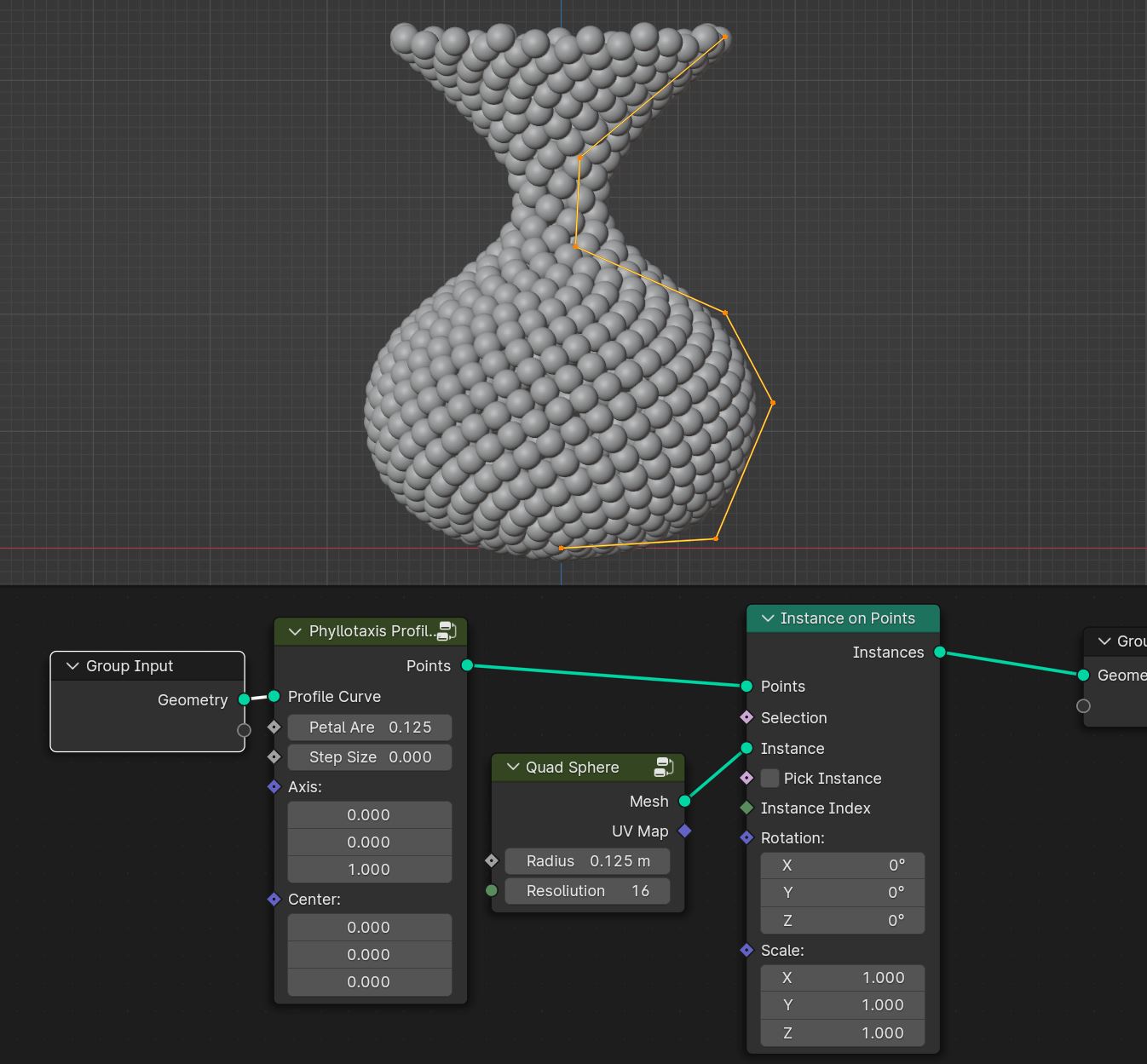
- Petal Area
Density of phyllotaxys distribution
- Step Size
Step size for choosing which petal point are valid for the ddistribution. Smaller value more accurate results
- Axis
Axis of the distribution
- Center
Center of the distribution
Phyllotaxis Sphere
Distributes points in phyllotaxy arrangement on sphere
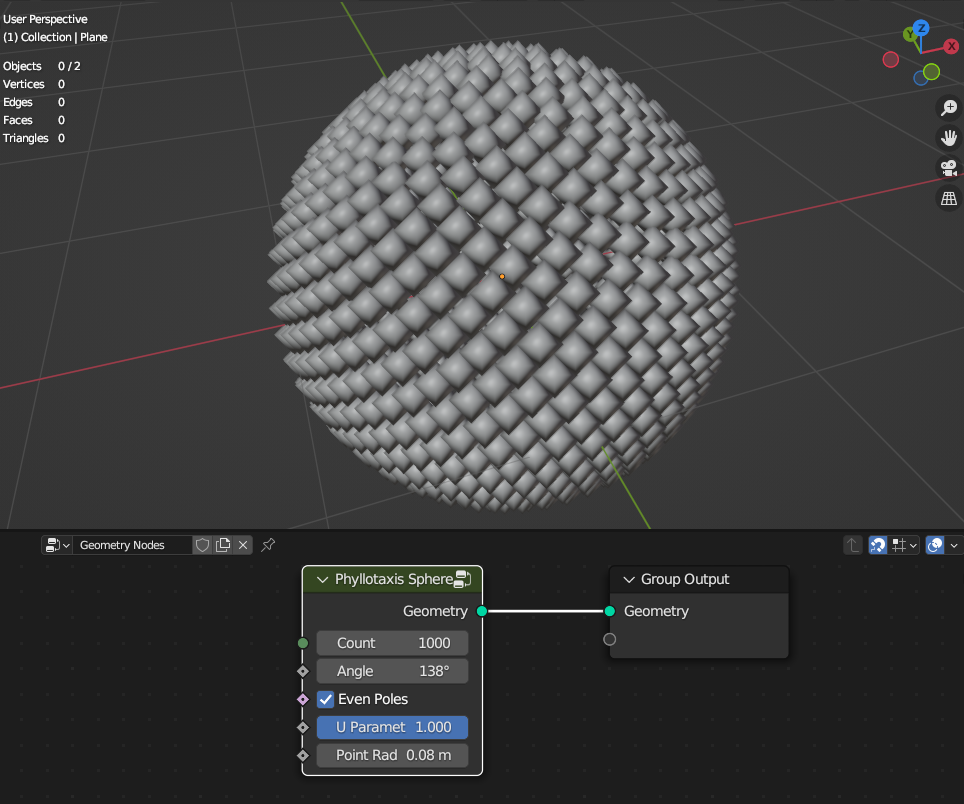
- Count
Count of points
- Radius
Radius of the disk
- Angle
Angle of spiral
- Even Pole
Offsets first point for more even distribution
- U Parameter
Cuts sphere along U coordinate
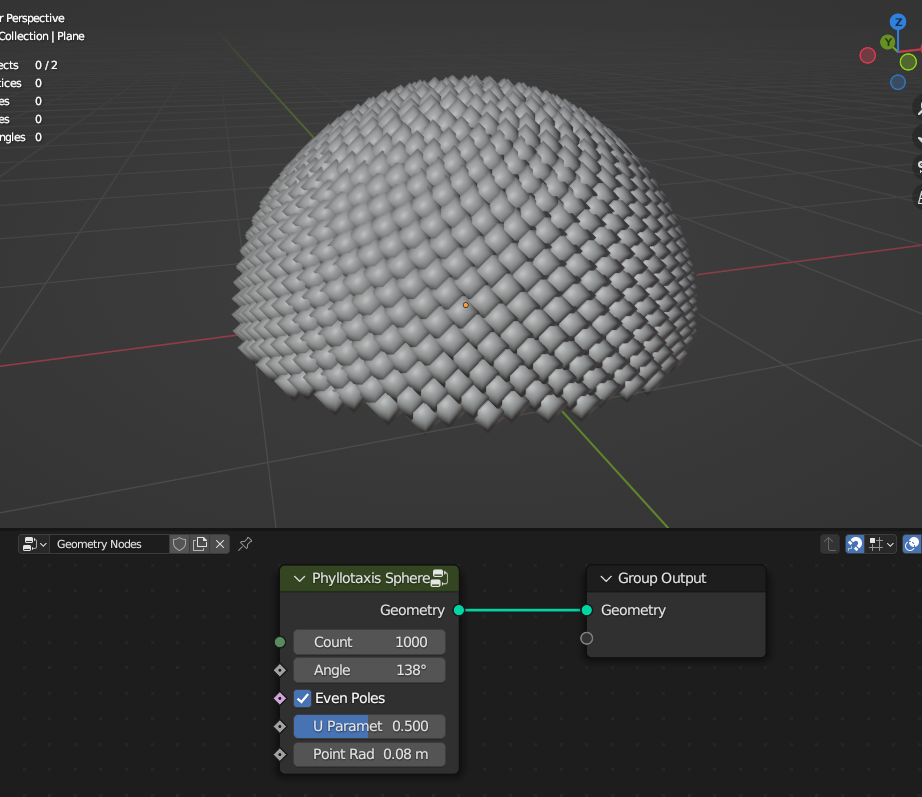
- Points Radius
Radius of the points
Points Relax in Volume
Relaxes points inside the mesh volume
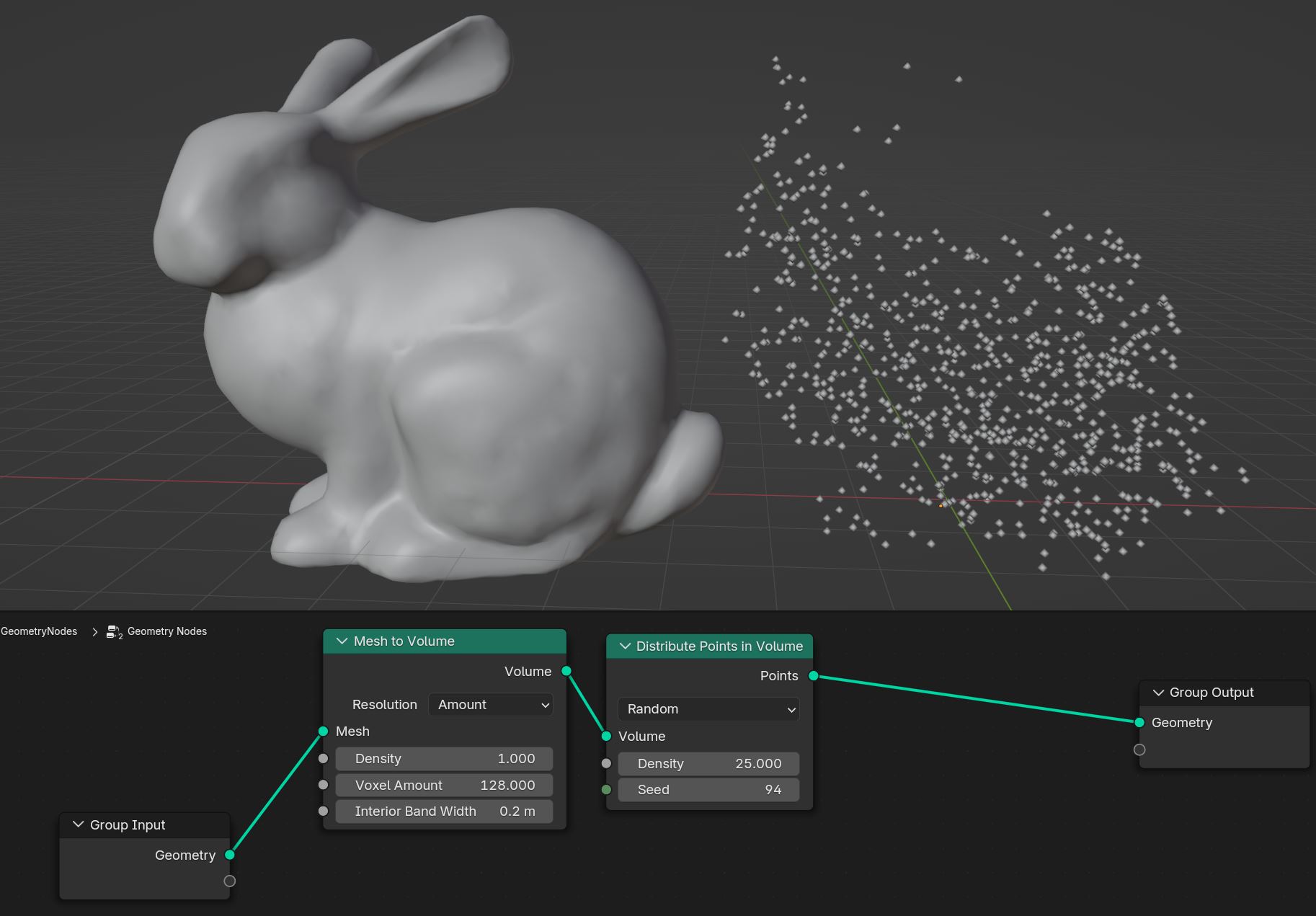
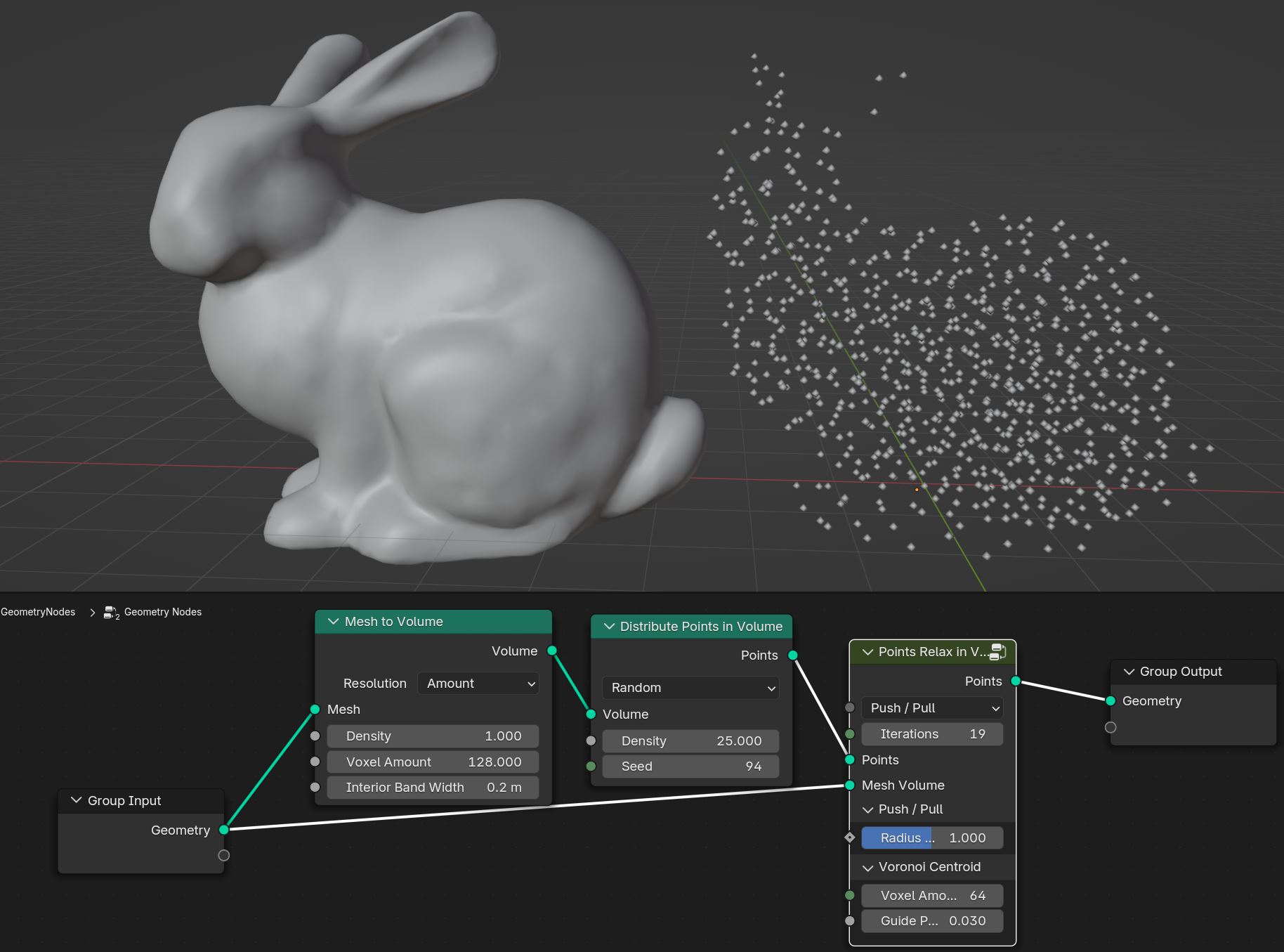
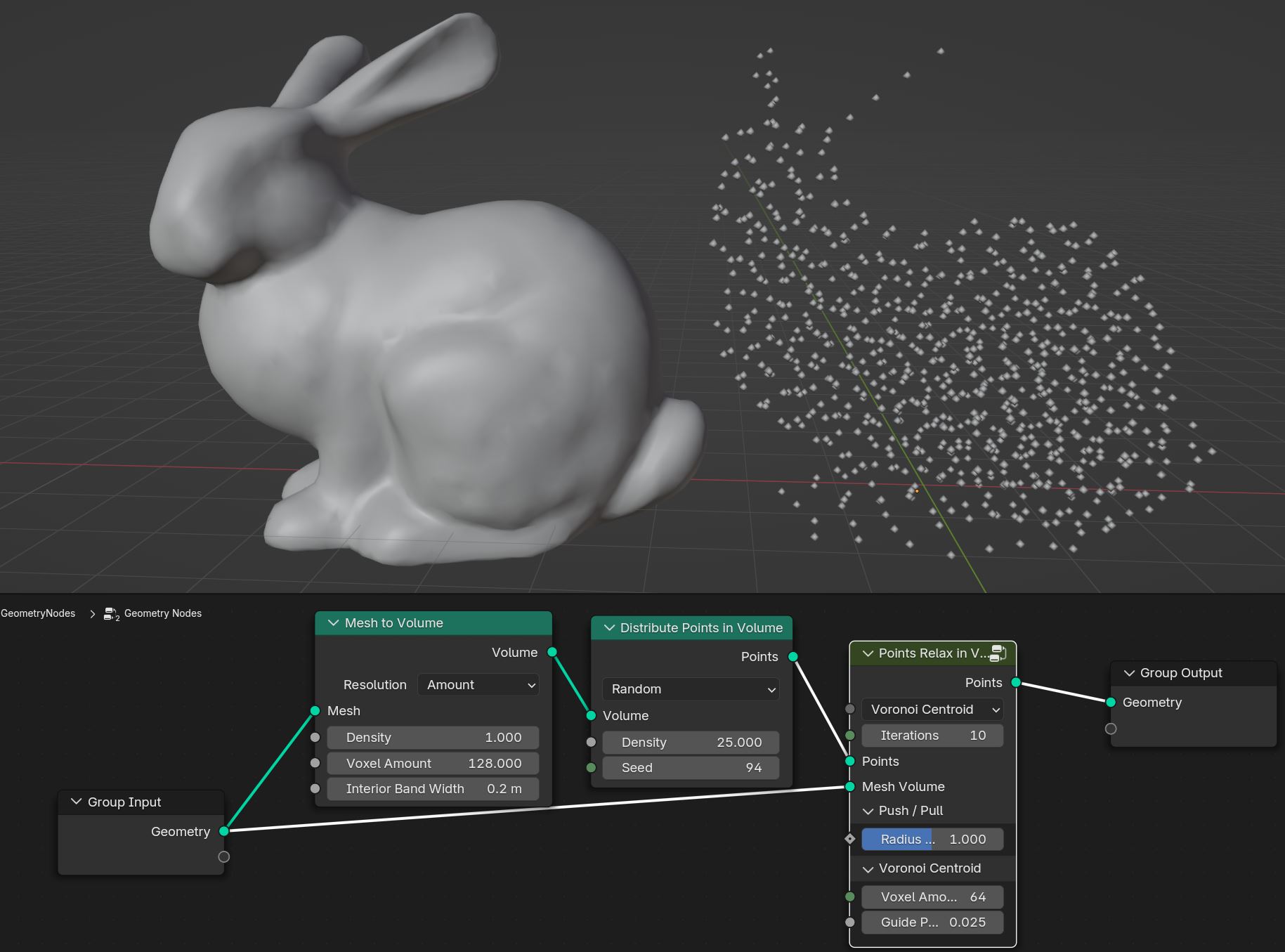
Push Pull / Voronoi Centroid
Push / Pull Relaxes points by pushing/pulling points given points radius
Voronoi Centroid Relaxes points by calculating point voronoi centroid with guide points. It gives better results then Push/Pull option but it’s much slower
- Radius Scale
Scale of the automatically calulated points radius when using Push/Pull option
- Voxel Amount
Volxel amount that mesh will be converted to the volume that guide points will be distributed when using Voronoi Centroid option
- Guide Points Spacing
Amount of guide points. Smaller value will result in more guide points that will give better relaxing results, but with much slower performance
Points Relax on Surface
Relaxes points on mesh surface

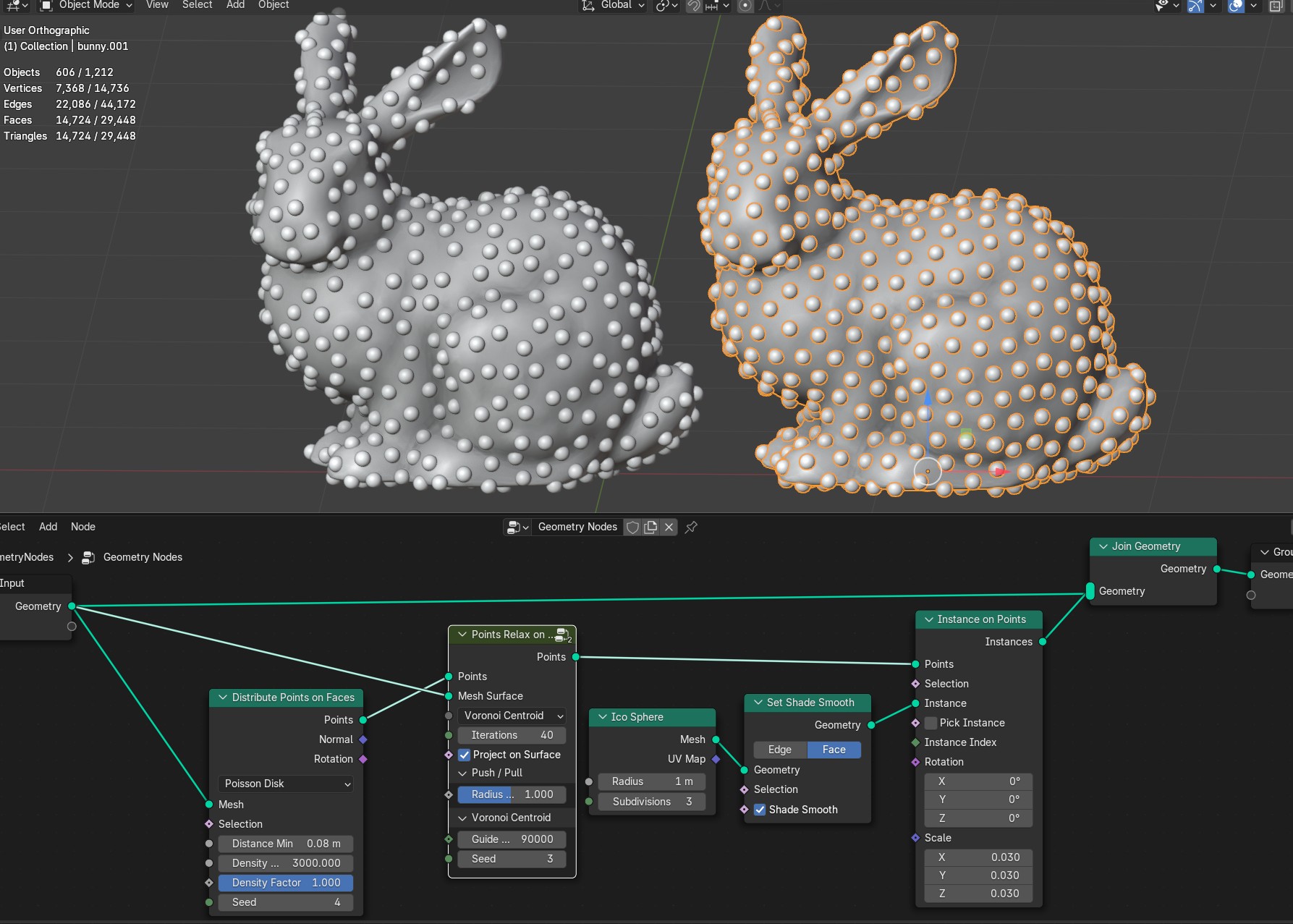
Push Pull / Voronoi Centroid
Push / Pull Relaxes points by pushing/pulling points given points radius
Voronoi Centroid Relaxes points by calculating point voronoi centroid with guide points. It gives better results then Push/Pull option but it’s much slower
- Project on Surface
Projects points on the surface
- Radius Scale
Scale of the automatically calulated points radius when using Push/Pull option
- Guide Points Count
Guide points count that will be distributed on the mesh to calculate voronoi centroid to relax points
- Seed
Seed of the guide points distribution
Random Points
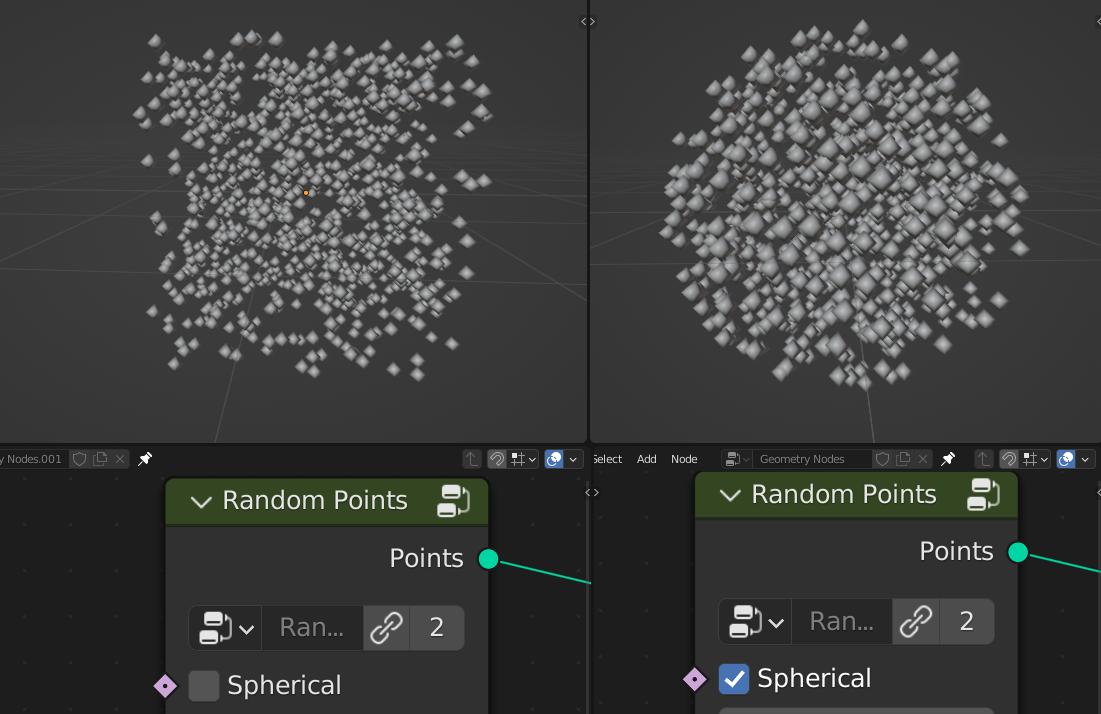
Randomly distributes points
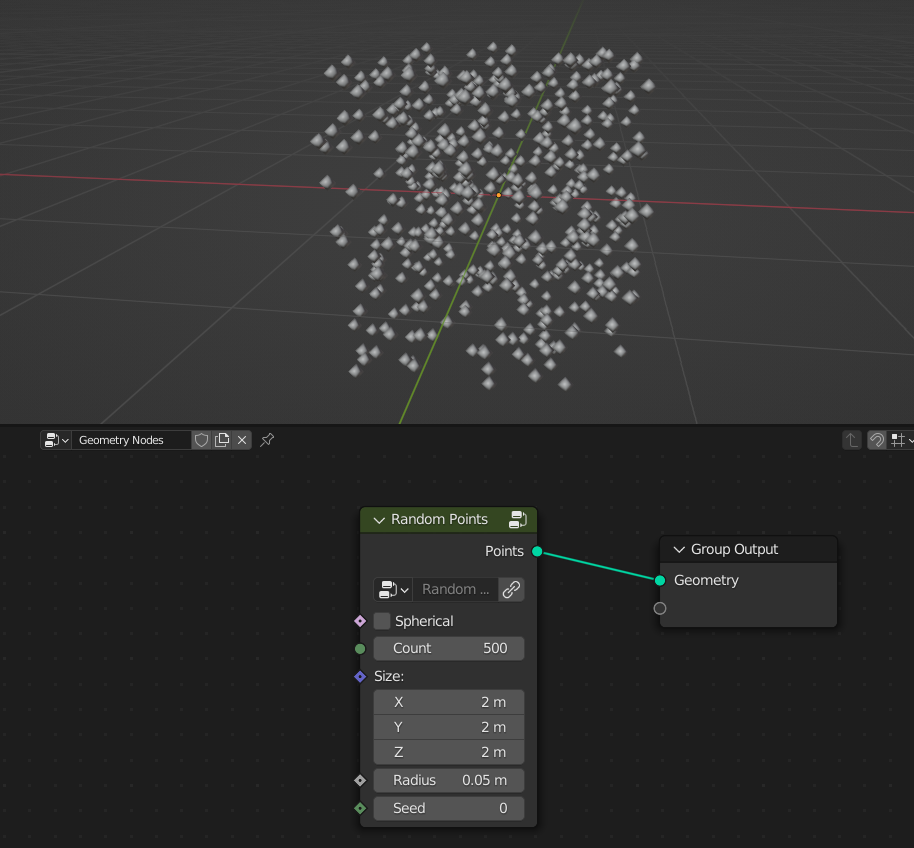
- Spherical
On: Random points will be distributed into sphere
- Count
Count of points
- Size
Size of the points distrubution
- Radius
Radius of the point
- Seed
Seed of the random distribution
Volume Points Grid
Distributes points inside mesh volume in grid pattern
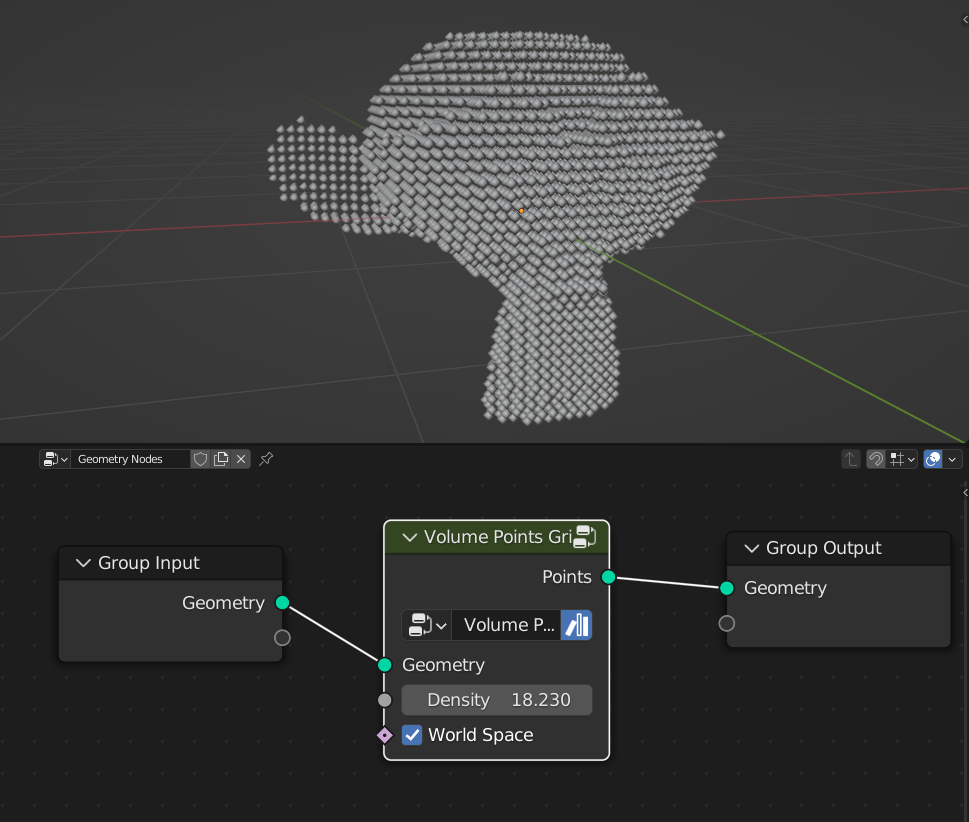
- Density
Amount of points inside volume
- World Space
On: Points dstribution stays at world coordinates if mesh moving