Geometry Measure

Face Tangent
Creates Direction Vector that points from Face center to its edge
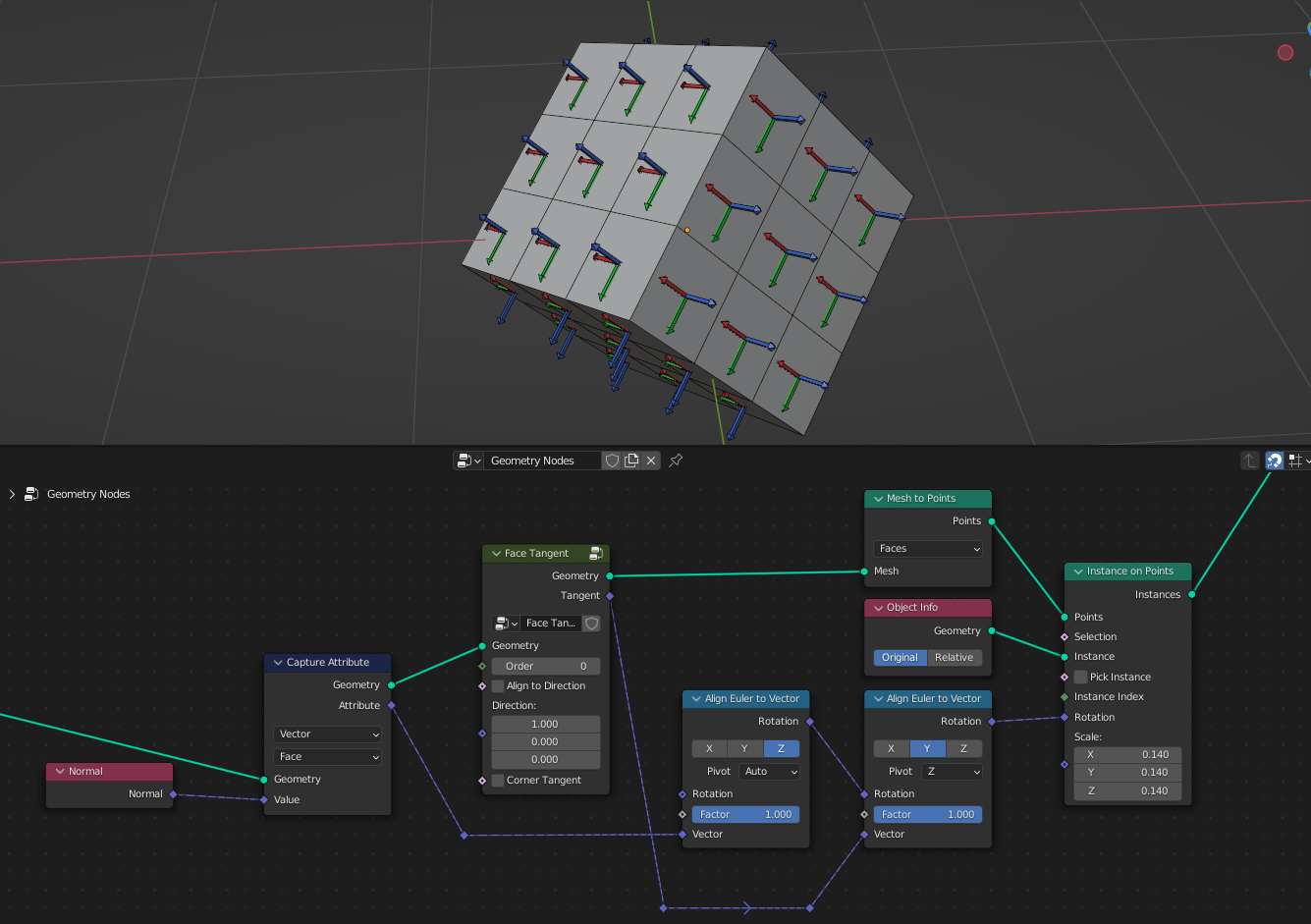
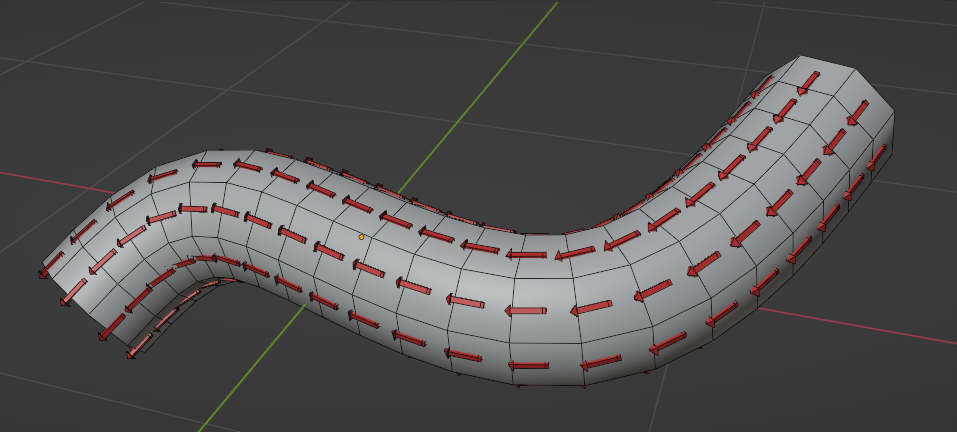
- Order
Selects to which face edge vector points
- Aligh to Direction
Choses direction that are closest to the Direction input
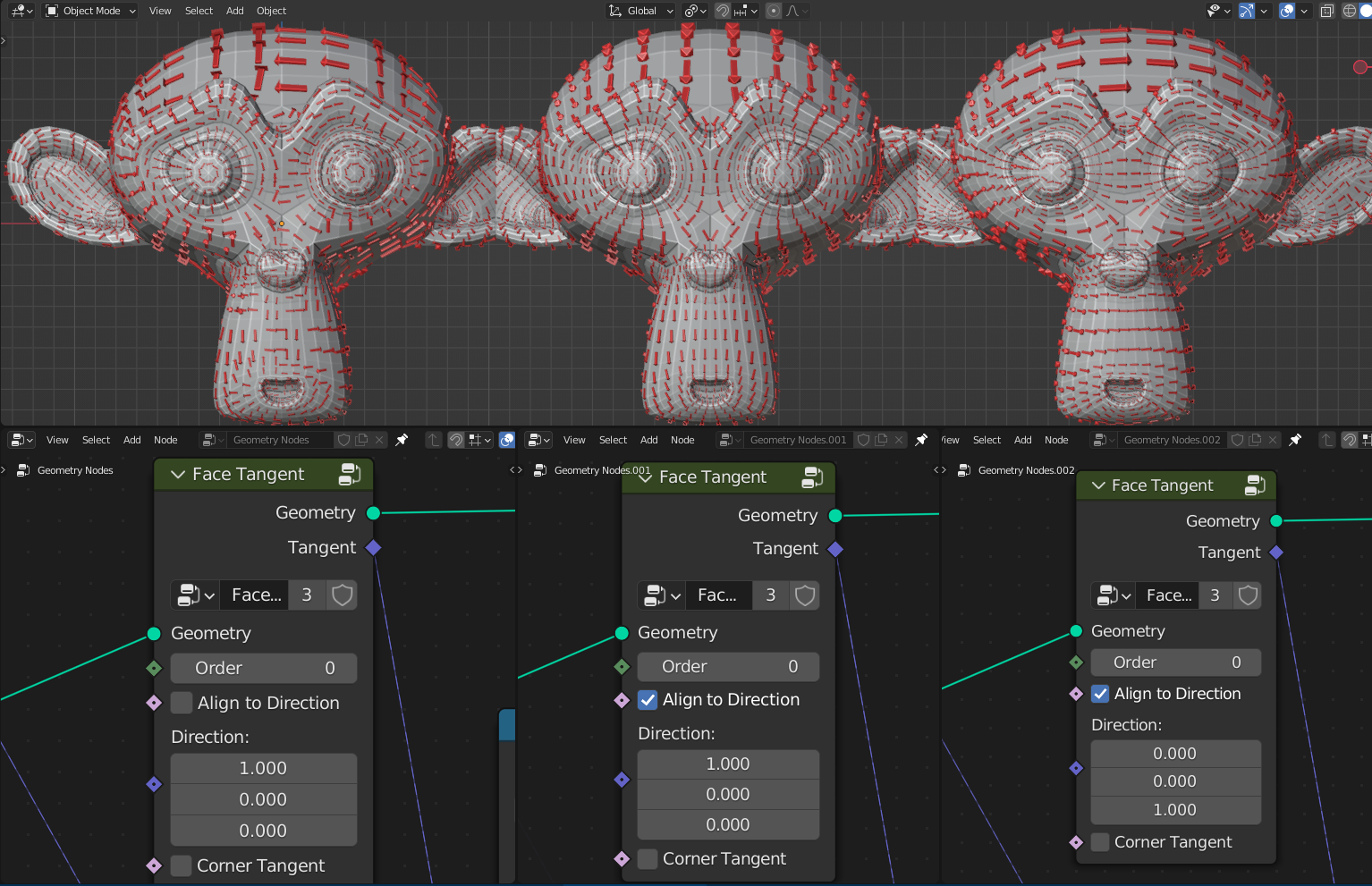
- Direction
Direction
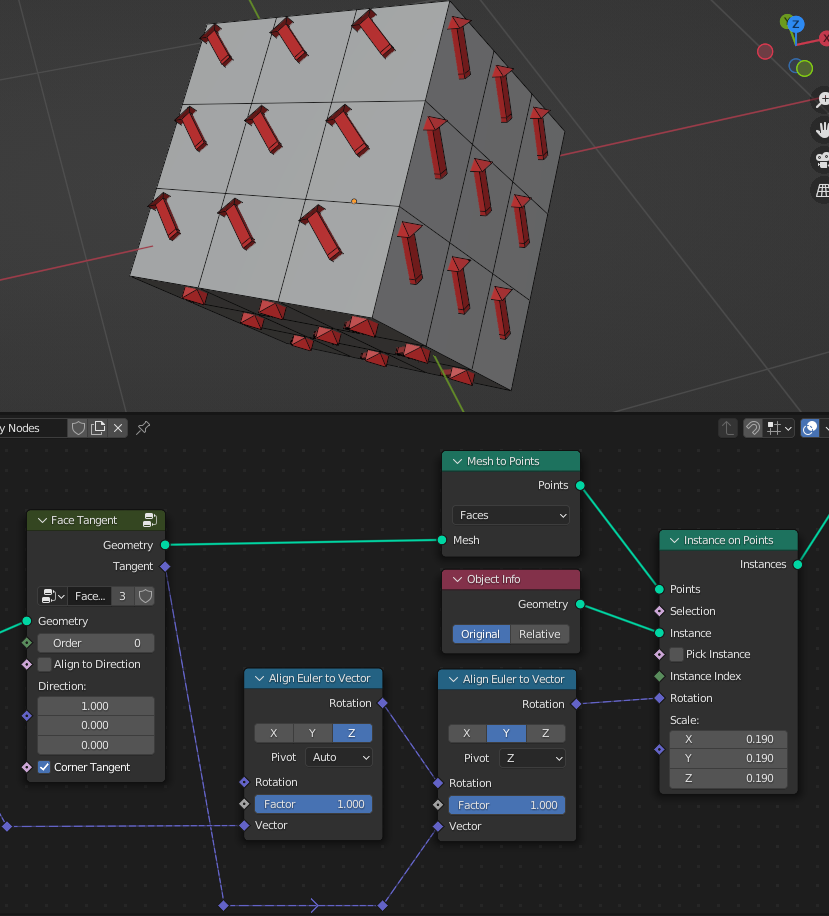
- Corner Tangent
Creates Direction Vector that points from Face center to its vertex
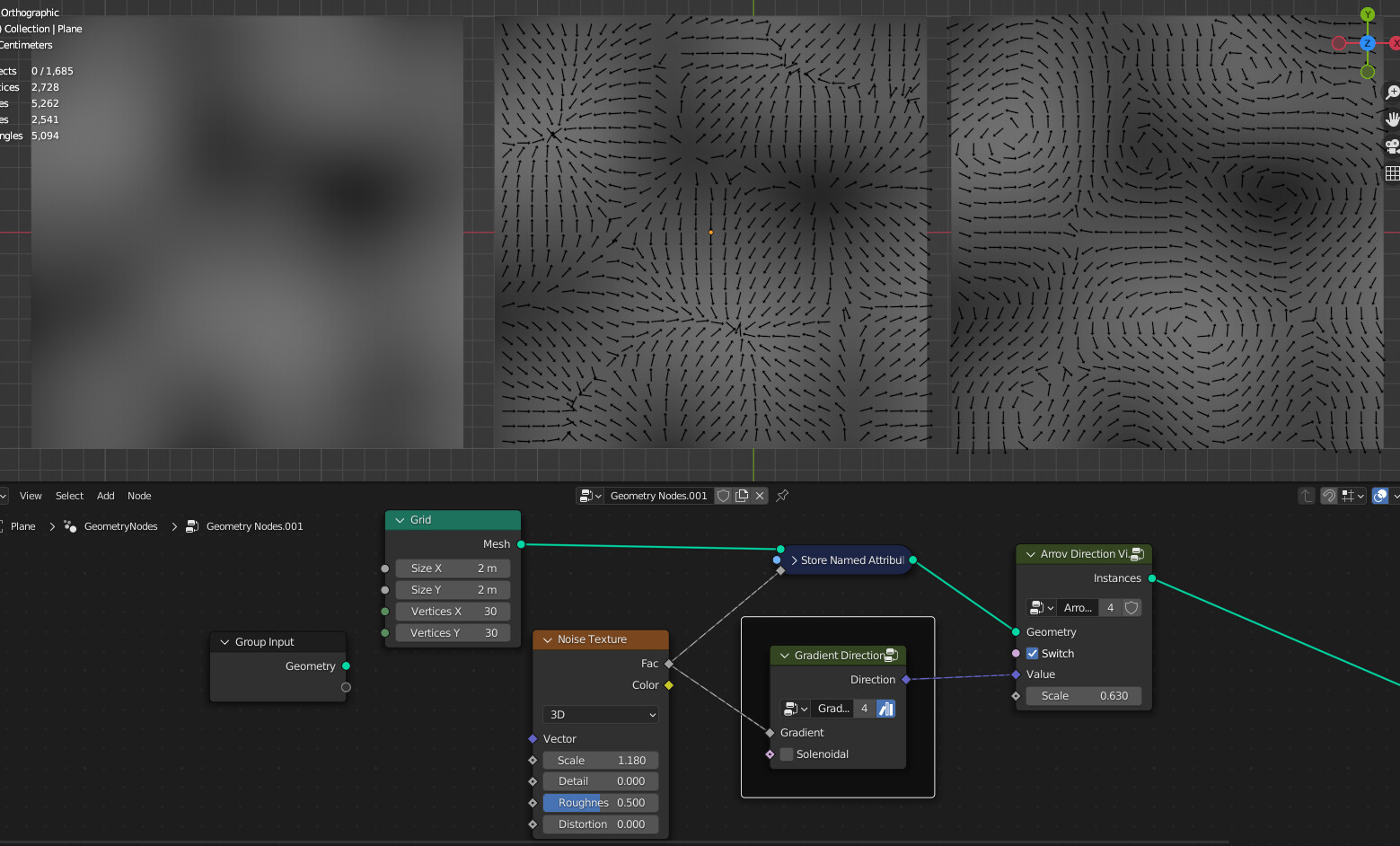
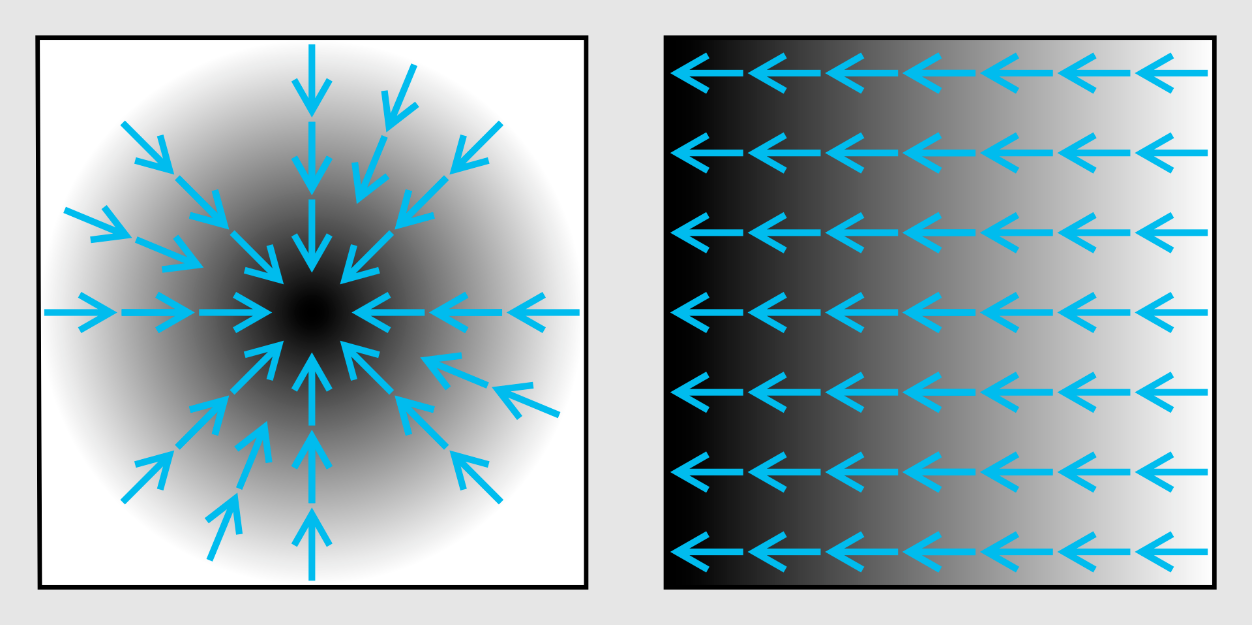
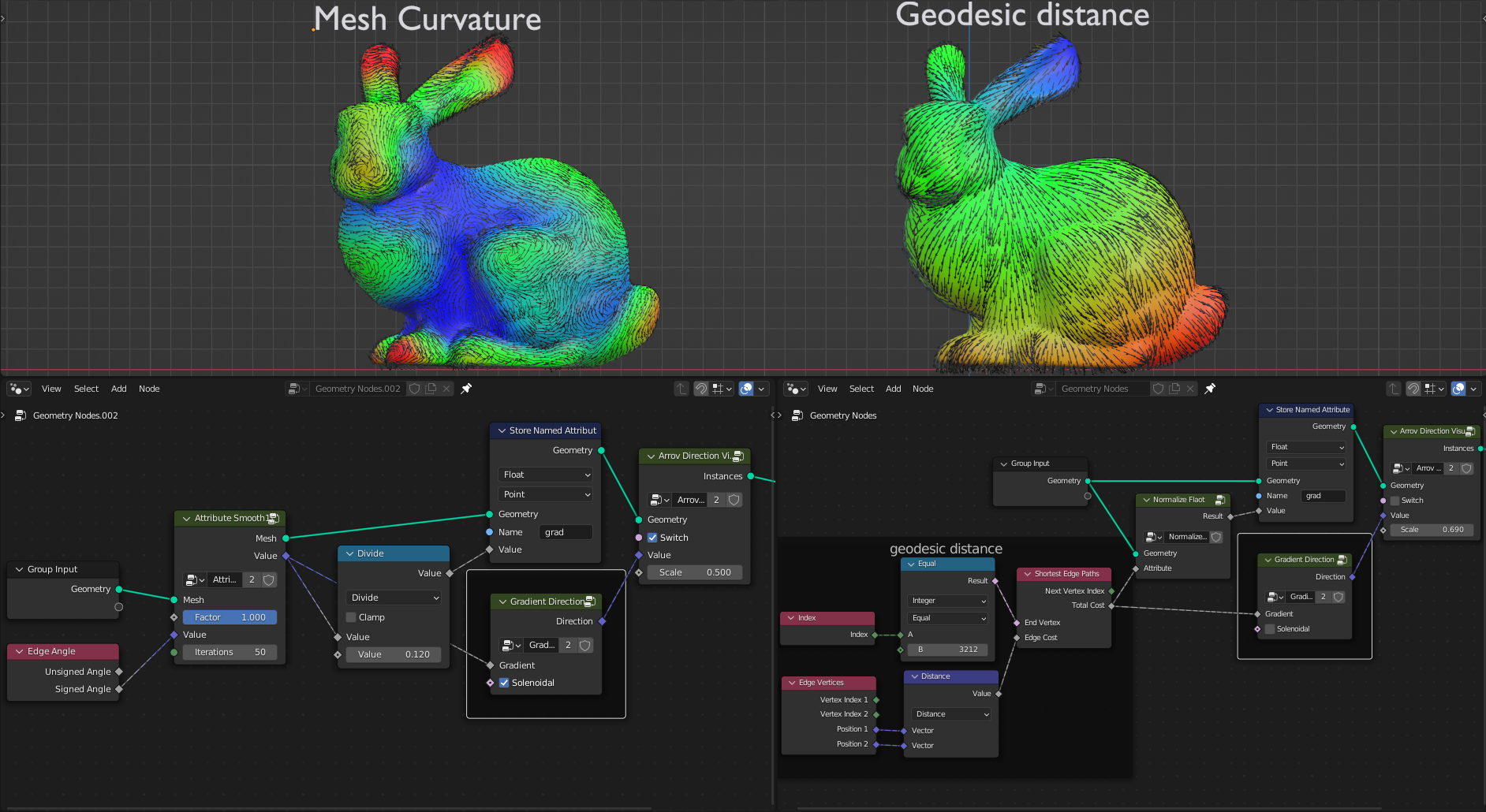
Gradient Direction
Creates directional vector from gradient
- Gradient
Gradient float input
- Solenoidal
Divergence-free vector field
Mesh Ambient Occlusion
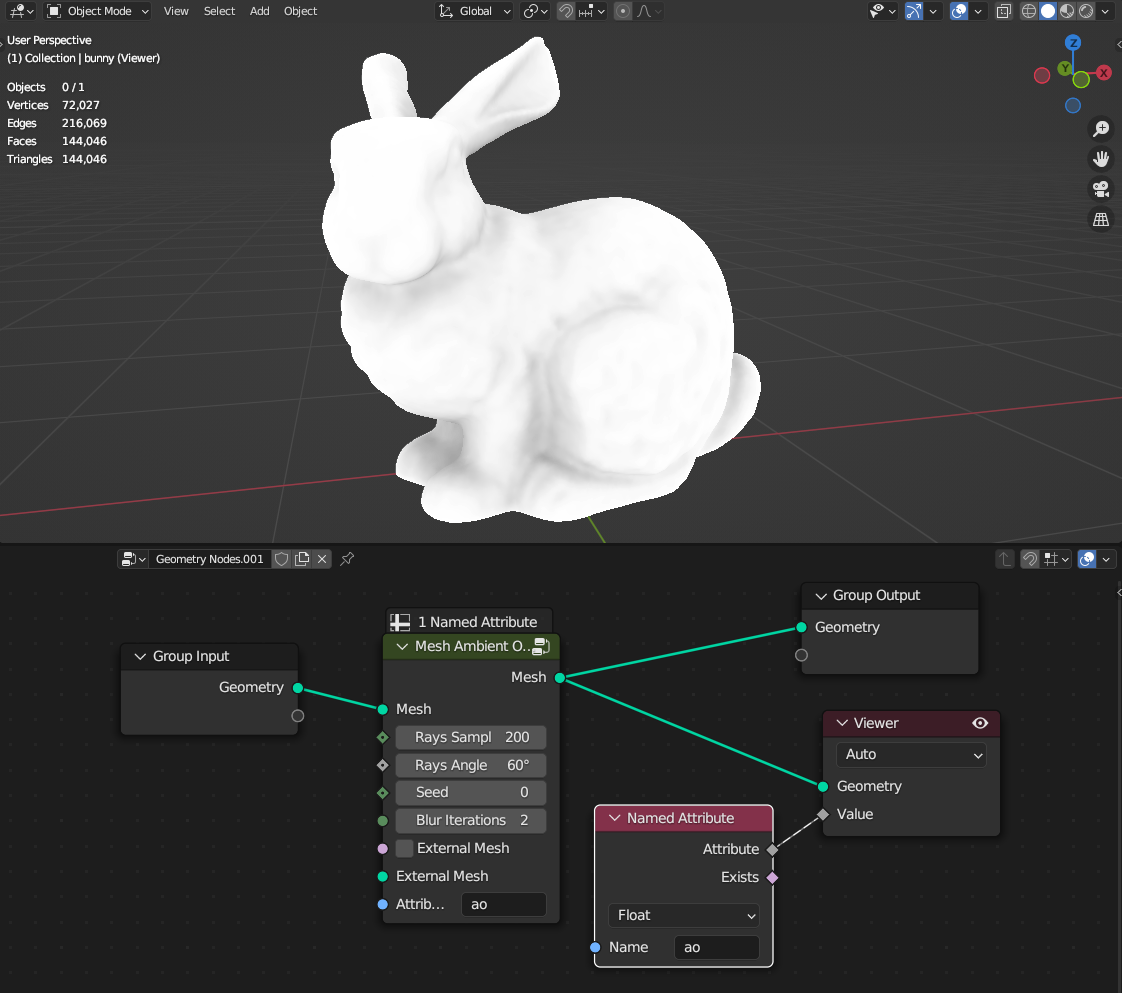
Calculates mesh ambient occlusion
- Rays Samples
Amount of rays for sampling
- Rays Angle
Angle that rays direction will be randomly rotated. Bigger angle will give more accurate results but with more noise
- Seed
Random seed of the rays random direction
- Blur Iterations
Smooth ambient occlusion map
- External Mesh
Uses external mesh that rays will hit from main mesh to calculate ambient occlusion map
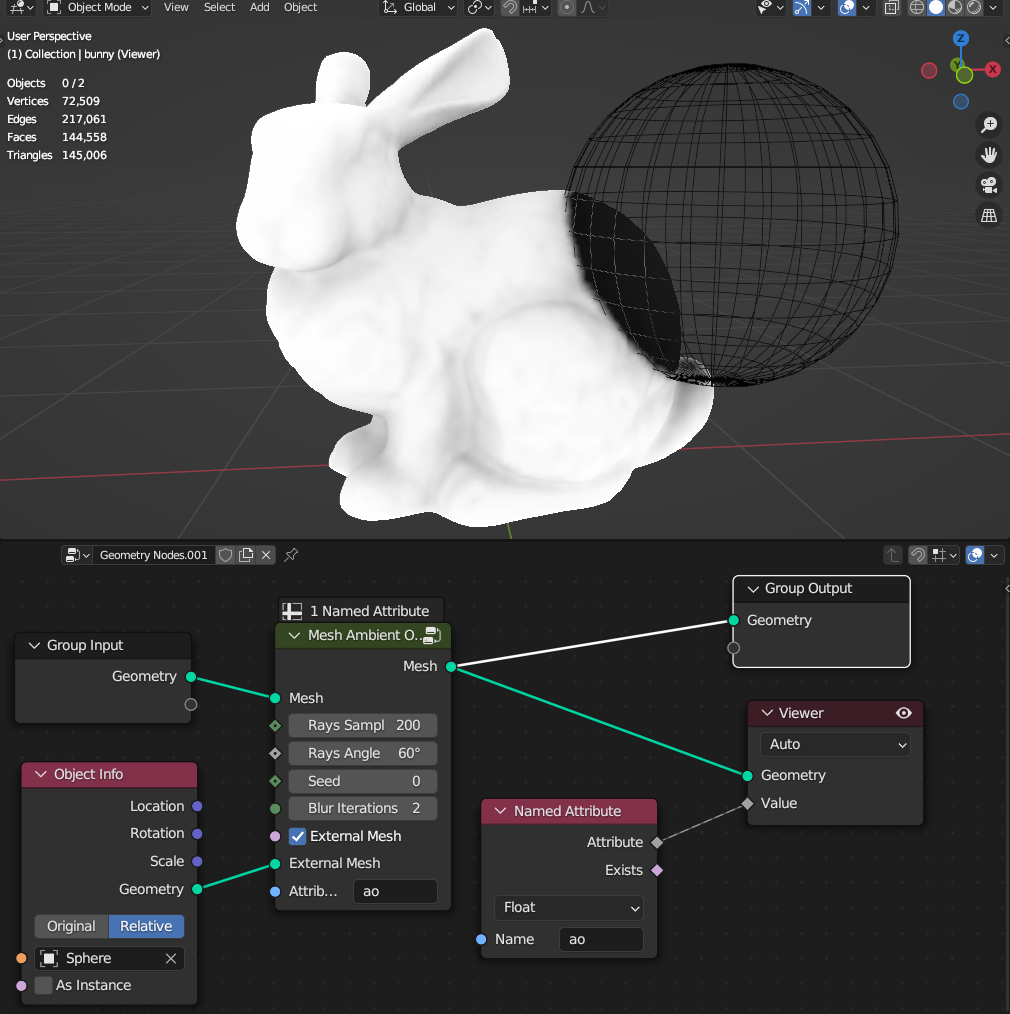
- Attribute
Name of the thickness value attribute on point domain
Warning
Node can be really slow depending on mesh density and rays samples. You can “bake it” by applying geometry nodes modifier and the “ao” attribute will be stored on the mesh
Mesh Curvature
Calculates different types of mesh curvatures
Angle Unsigned

Angle Signed

Gaussian Curvature

Mean Curvature

Mesh Fresnel
Calculates mesh fresnel from camera point of view


- Camera/Origin
Uses Camera or Custom origin location for calculating direction
- Origin
Location of hte origin
- Bias
Offset of the fresnel
- Scale
Intensity of the fresnel
- Exponent
Falloff of the fresnel
Mesh Island Measure
Calculates Area, Center, Area Center of Mass for each mesh island
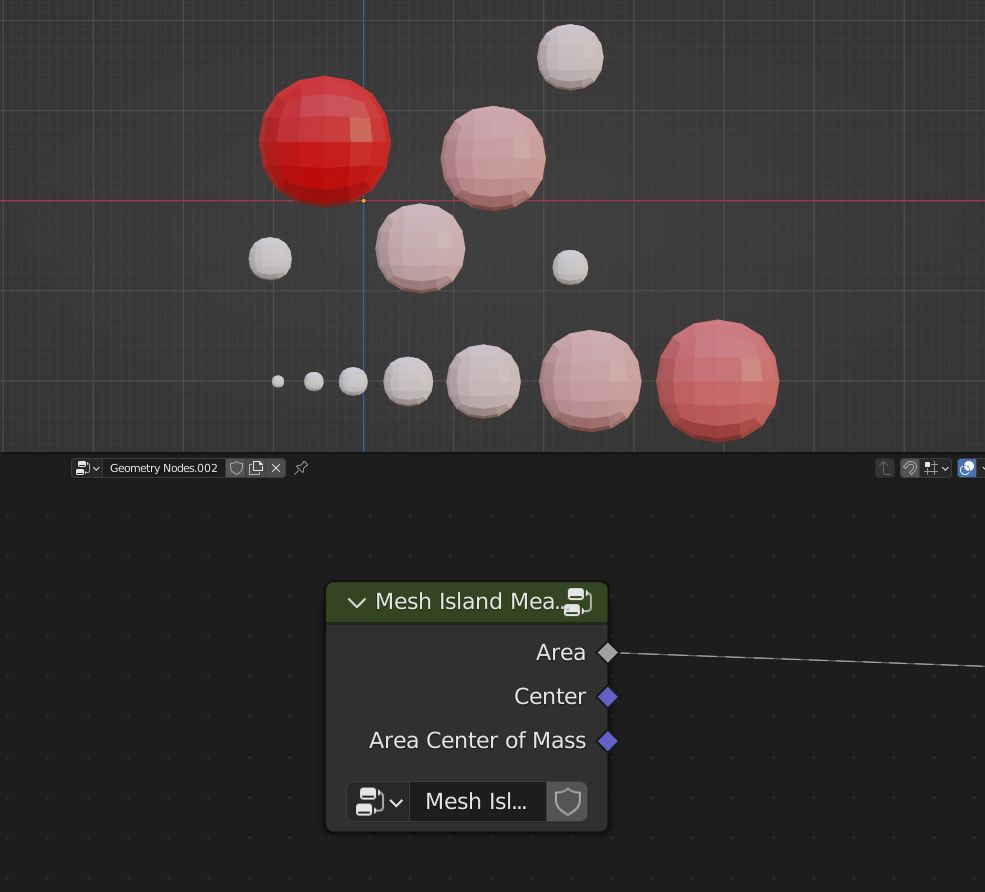
- Area
Area of the mesh
- Center
Position from average vertex locations
- Area Center of Mass
Position of Area Center of Mass
Mesh Measure
Calculates mesh total Volume, Area, Volume Center of Mass, Area Center of Mass
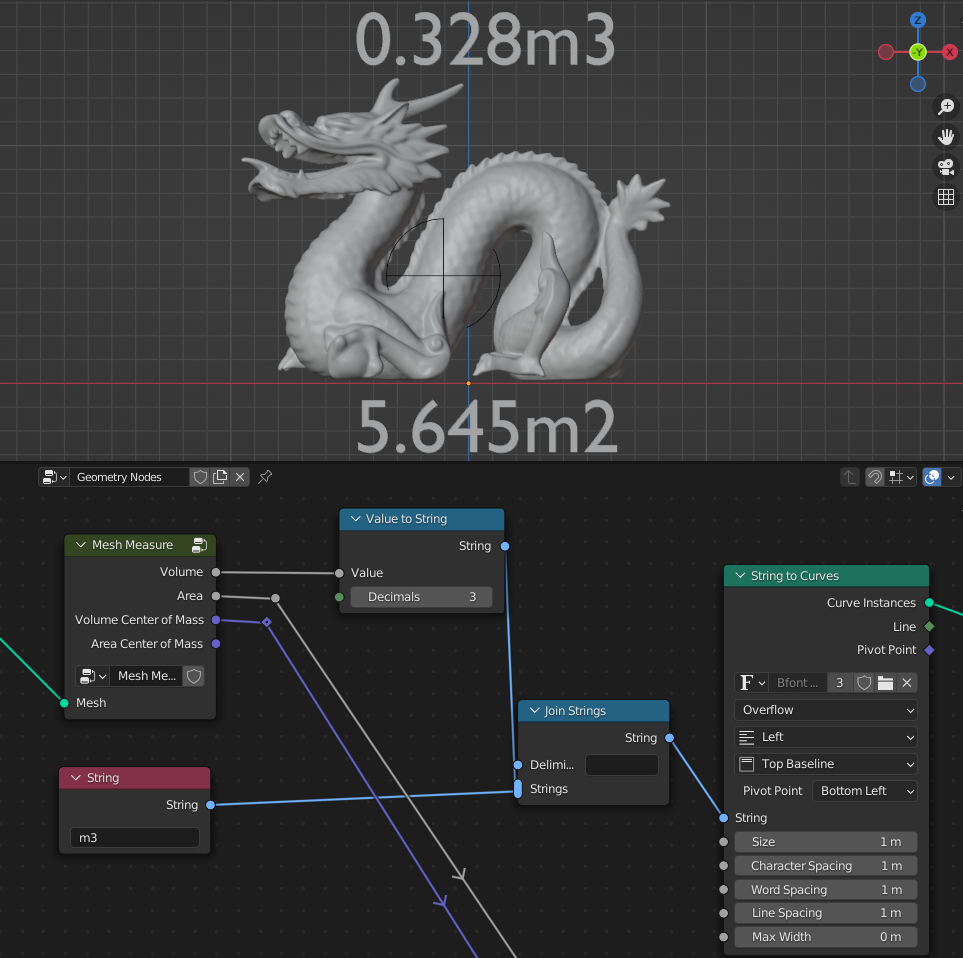
- Volume
Volume of the mesh
- Area
Area of the mesh
- Volume Center of Mass
Position of Volume Center of Mass
- Area Center of Mass
Position of Area Center of Mass
Mesh Tension
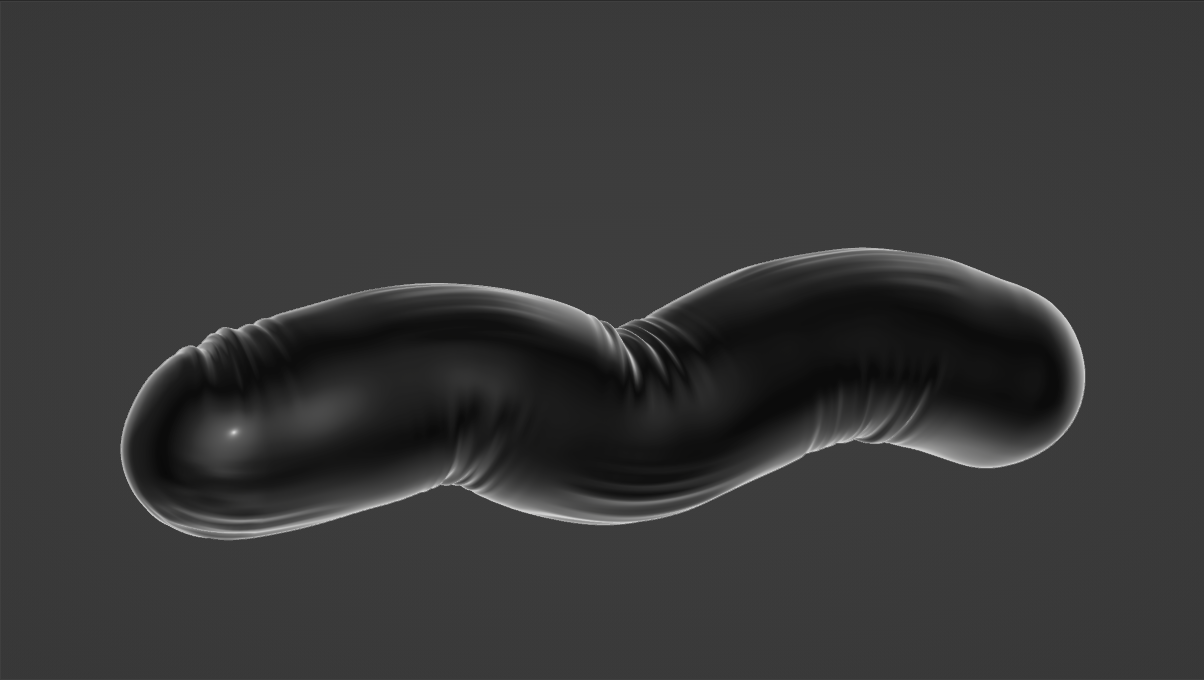
Creates Compression and Tension masks by comparing edge lenghts before and after mesh deformation
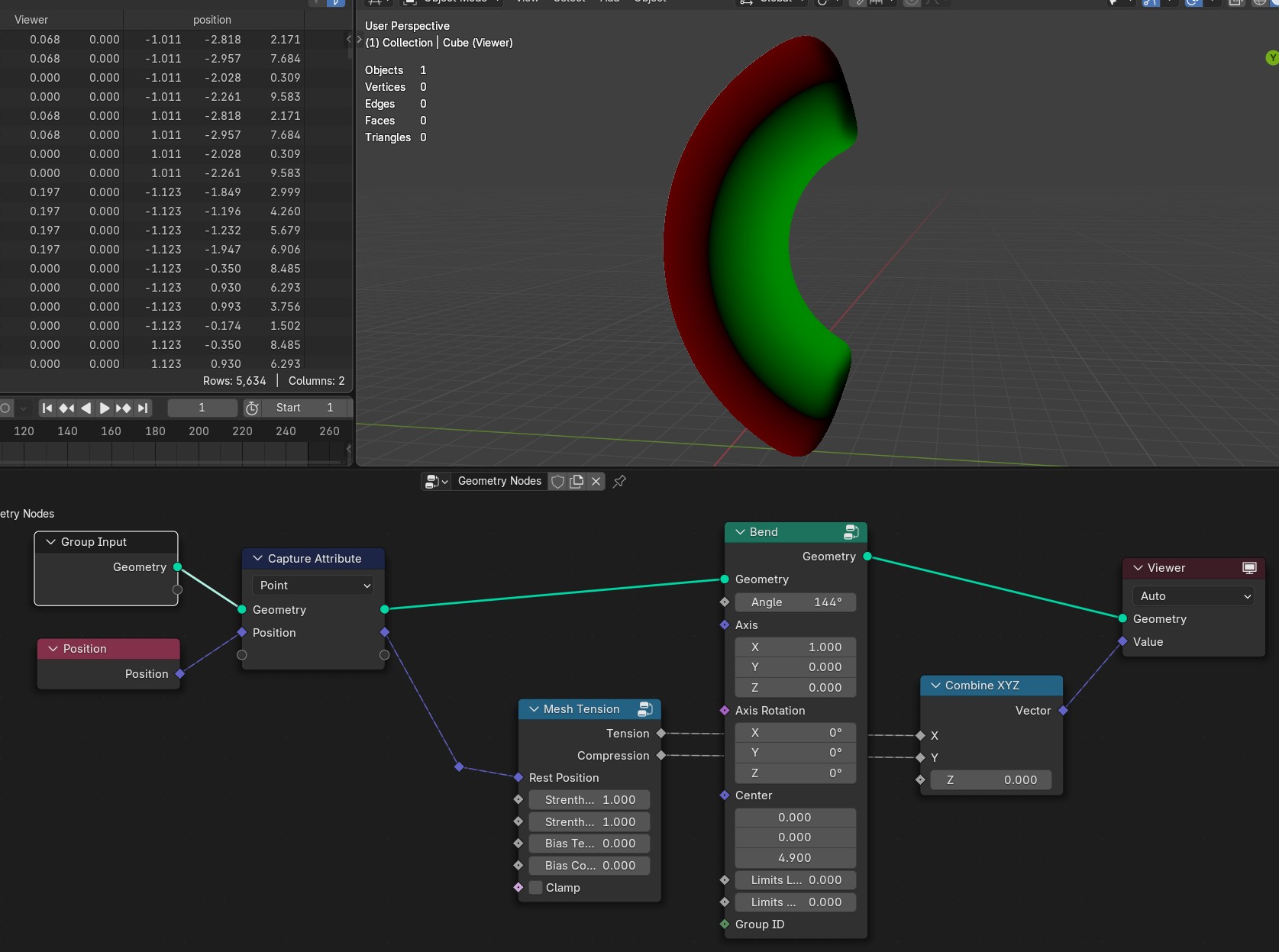
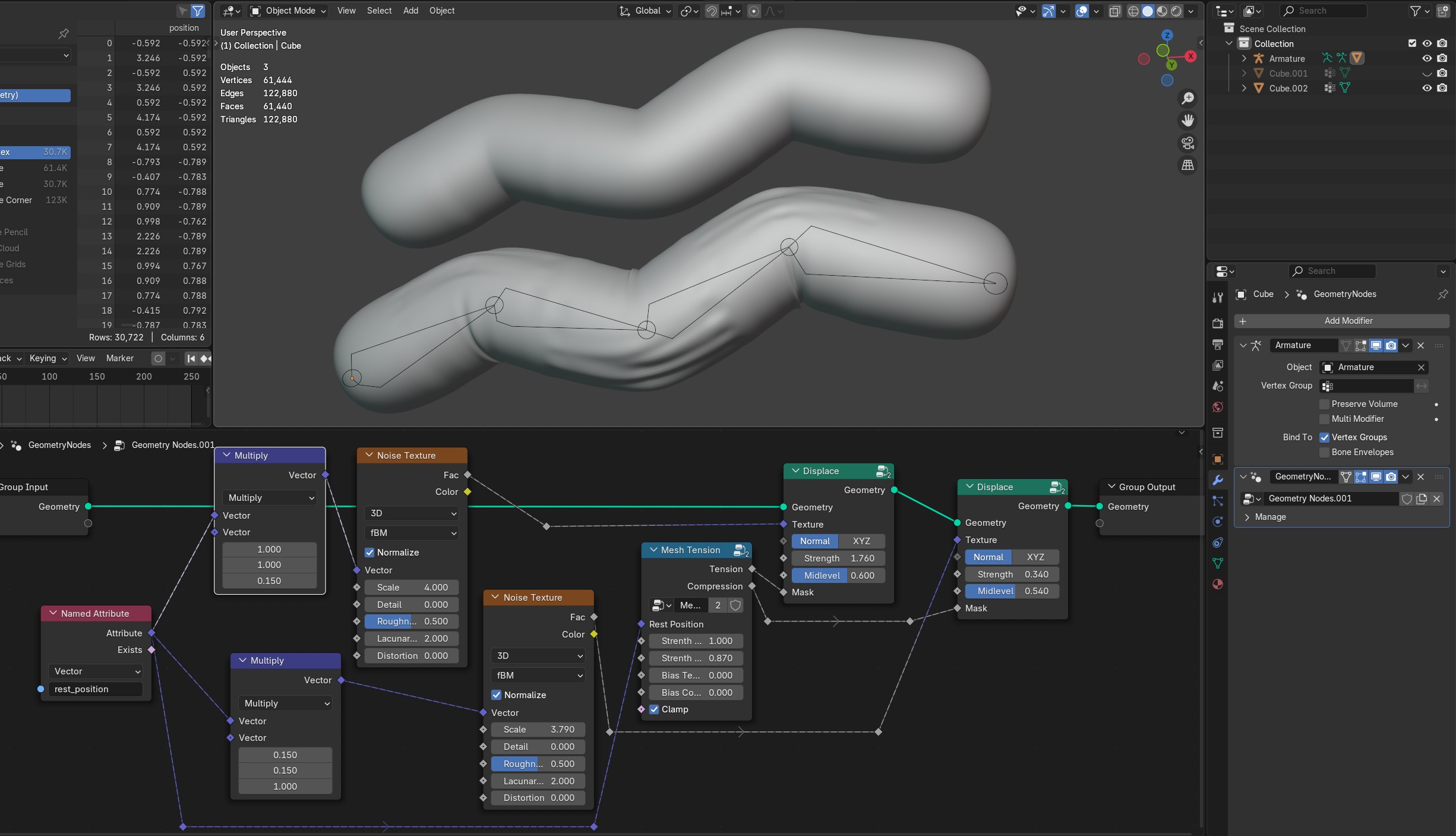
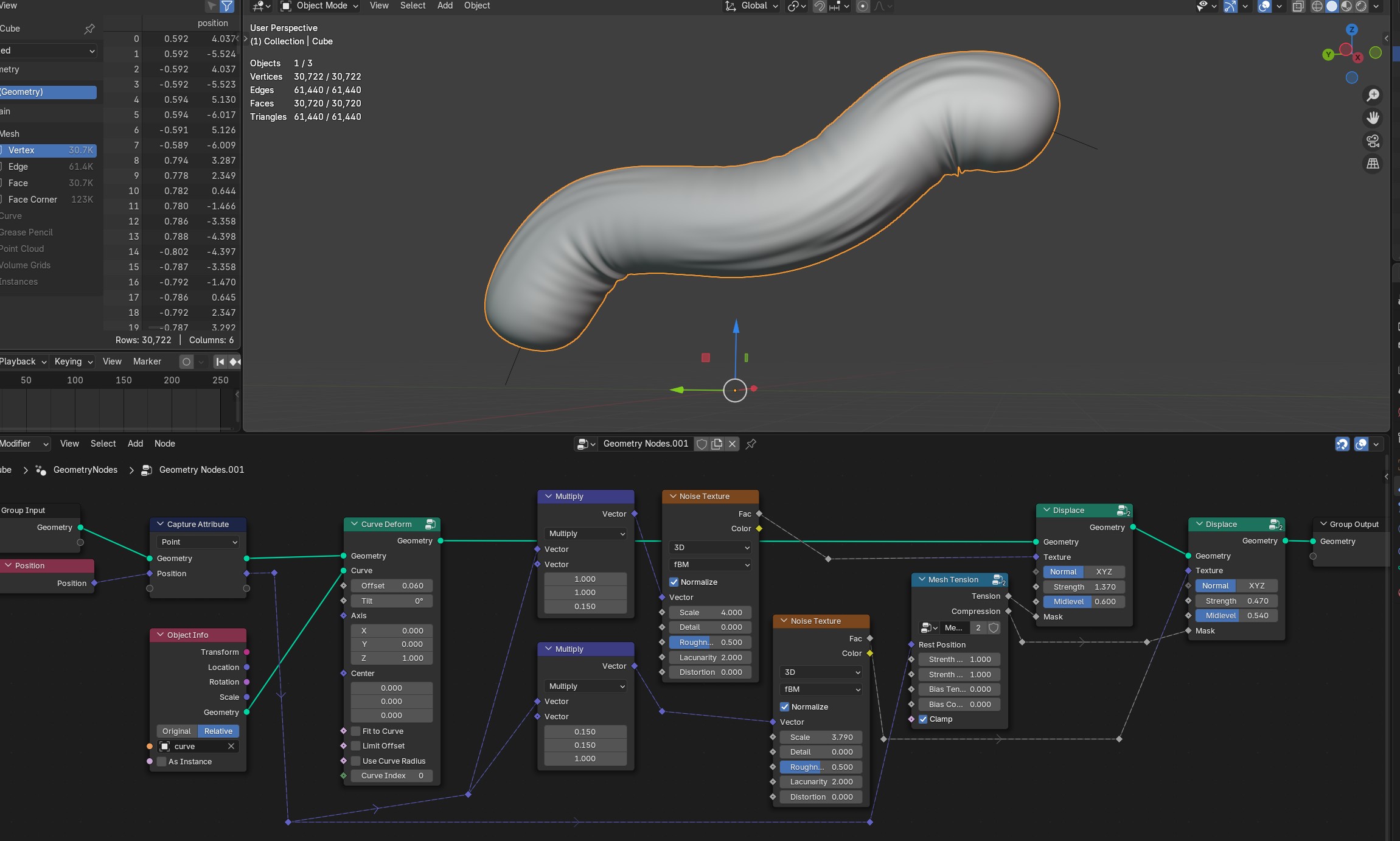
- Rest Position
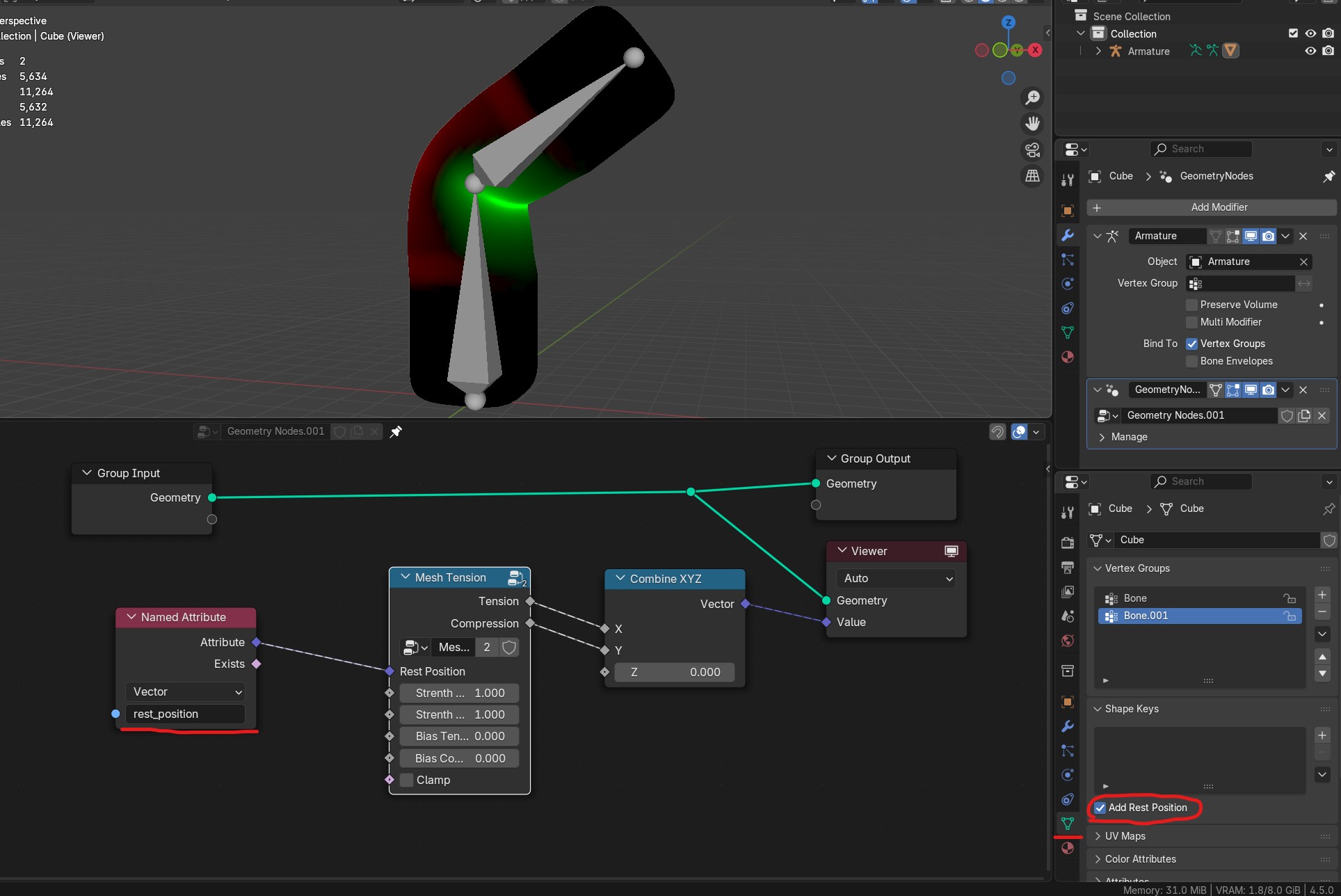
Position attribute that needs to be captured/stored before the mesh deformation happens. If using Armature use “rest_position” attribute by enabling it in properties/data tab
- Strength Tension
Strength of the Tension mask
- Strength Compression
Strength of the compression mask
- Bias Tension
Offset of the tension values
- Bias Compression
Offset of the compression values
- Clamp
Clamps tension and compresions mask values between 0 and 1
Mesh Thickness
Calculates mesh thickness
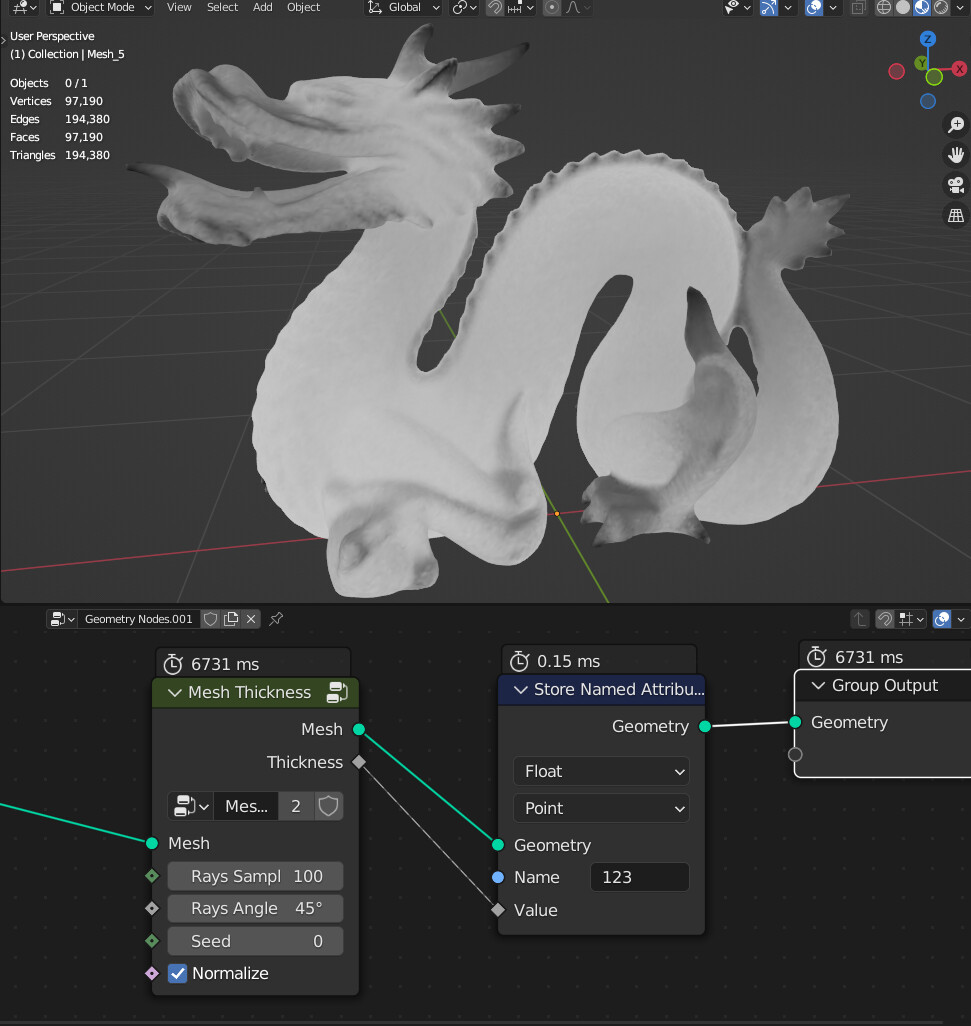
- Rays Samples
Amount of rays for sampling
- Rays Angle
Angle that rays direction will be randomly rotated. Bigger angle will give more accurate results but with more noise
- Seed
Random seed of the rays random direction
- Normalize
Fits values between 0 to 1
- Attribute
Name of the thickness value attribute on point domain
Warning
Node can be really slow depending on mesh density and rays samples. You can “bake it” by applying geometry nodes modifier and the “thickness” attribute will be stored on the mesh
UV Tangent
Creates directional vector from UV map on face domain
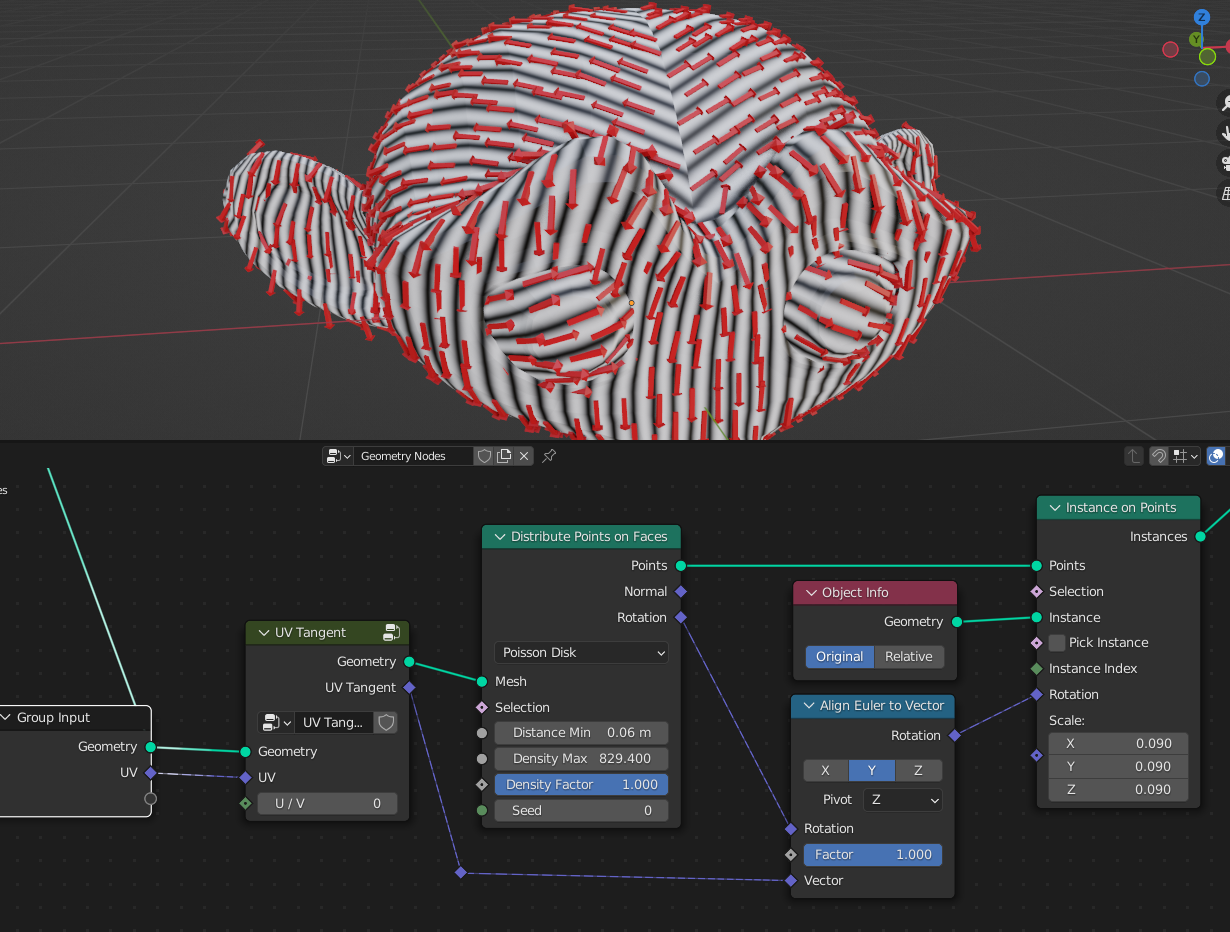
- UV
UV map input for direction calculation
- U/V
Choses UV map alightment axis to U or V